Posted on

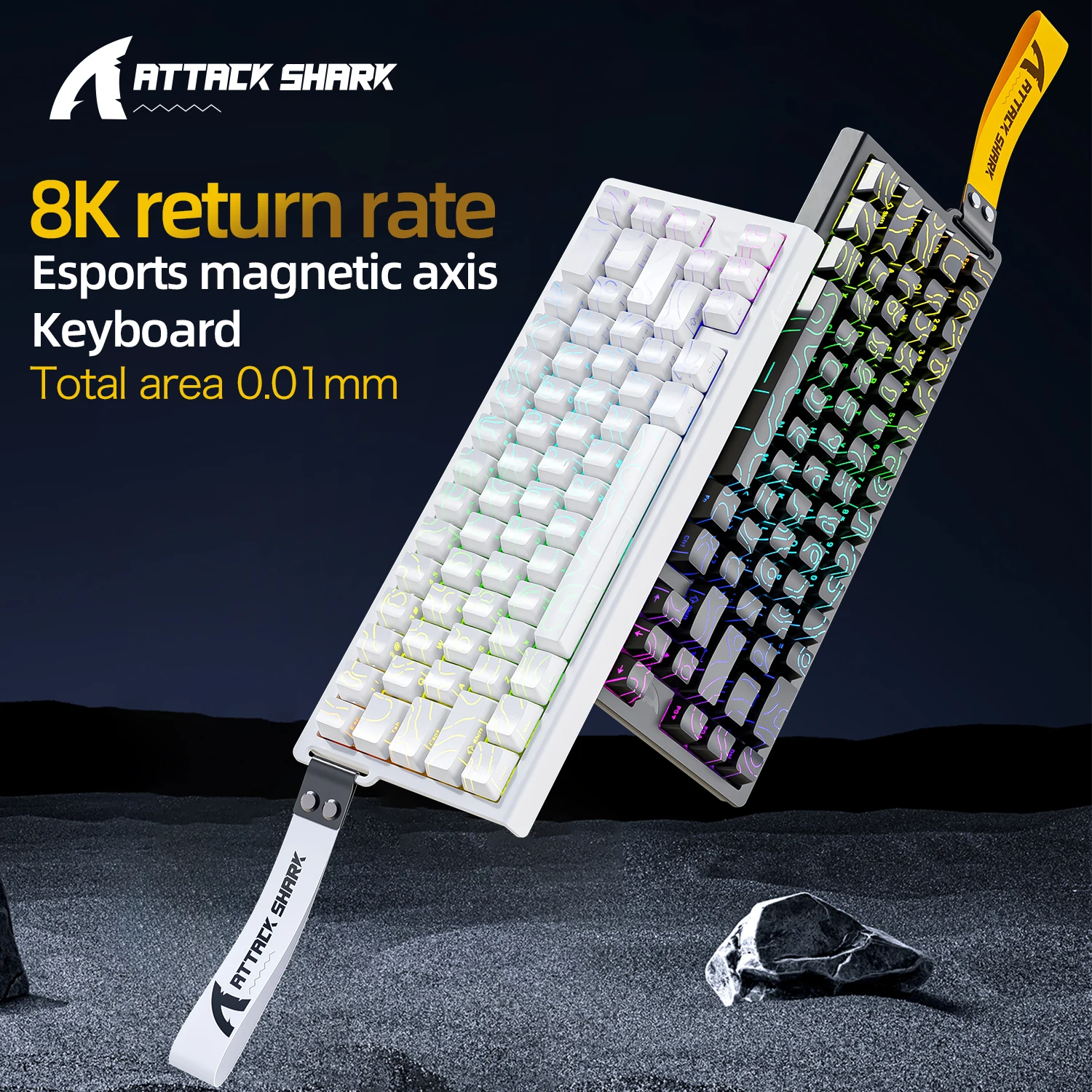
Attack Shark X68HE Review: Is This $55 Gaming Keyboard a Pro-Level Steal?

★★★★★ (96.8%/5)

Introduction

Ever felt a millisecond’s delay cost you the game? In competitive gaming, every fraction of a second counts. Your keyboard is your most direct link to the game world, and a slow, unresponsive one can be the difference between victory and defeat.

Enter the X68HE ATTACK SHARK Magnetic Gaming Keyboard. At an eye-popping price of just ~$55.29, this mechanical, wired wonder promises features usually found in keyboards three or four times its cost. But can a budget board truly deliver a pro-level experience?

Why It’s a Steal

Let’s be clear: finding a gaming keyboard with magnetic switches, rapid trigger functionality, and an 8000Hz polling rate for under $60 is almost unheard of. Most reputable brands charge upwards of $150-$200 for similar technology. The X68HE isn’t just budget-friendly; it’s a disruptor.

Attack Shark X68HE Review: Is This $55 Gaming Keyboard a Pro-Level Steal? Detail
A closer look at the details

Its impressive 96.8%/5-star rating isn’t just a fluke; it’s a testament to its surprising quality and performance for the price. If you’re a serious gamer looking to gain an edge without emptying your wallet, the value proposition here is simply incredible.

Key Features Deep Dive

Magnetic Switches & 0.01mm Rapid Trigger

Traditional mechanical switches have a fixed actuation point. Magnetic (or Hall Effect) switches detect the position of the keycap with incredible precision. This allows for Rapid Trigger, a game-changing feature where keys actuate and de-actuate based on minuscule movements (as little as 0.01mm!). This means you can tap a key faster for repeated actions (e.g., strafing, spraying in an FPS) and reset it instantly, giving you an unparalleled competitive edge.

8000Hz Polling Rate & 0.125ms Response Time

The X68HE boasts an incredible 8000Hz polling rate, meaning it reports your key presses to your computer 8,000 times per second, or every 0.125 milliseconds. For hardcore gamers, this translates to virtually zero input lag. Every command you execute is registered almost instantaneously, ensuring your in-game actions perfectly mirror your physical inputs. Paired with the wired connection, it guarantees rock-solid reliability when milliseconds matter most.

SOCD/Rs & 128K Rate

For fighting game enthusiasts and arcade-style gamers, SOCD (Simultaneous Opposing Cardinal Directions) functionality is a crucial addition. It intelligently processes conflicting directional inputs (like pressing left and right at the same time), preventing unintended actions and ensuring clean, precise movement. Combined with the 128K key scanning rate, the keyboard ensures every individual key press, even during intense multi-key combinations, is accurately detected without ghosting or missed inputs.

Who Is This For?

This keyboard is tailor-made for competitive gamers on a budget who refuse to compromise on performance. If you’re into FPS titles, fighting games, or any genre where response time and precise input are paramount, but you don’t want to spend hundreds of dollars, the Attack Shark X68HE is calling your name. It’s also an excellent choice for aspiring pros looking for a cost-effective way to get their hands on advanced gaming technology.

✅ Pros

  • Unbeatable price for advanced features (Magnetic switches, Rapid Trigger, 8000Hz polling).
  • Exceptional responsiveness and virtually no input lag.
  • Wired connection ensures ultimate reliability.
  • SOCD functionality ideal for fighting games.
  • High user satisfaction and strong 96.8% rating.

🔻 Cons

  • Likely a budget-friendly plastic build, not premium materials.
  • Wired-only design, no wireless flexibility.
  • May lack extensive software customization options found in high-end brands.
  • Might not have dedicated media keys or extra macro buttons.

Final Verdict

The X68HE ATTACK SHARK Magnetic Gaming Keyboard is a genuine anomaly in the gaming peripheral market. For its price, it offers a suite of high-performance features – magnetic switches, rapid trigger, 8000Hz polling – that are simply unmatched. While it won’t have the premium aesthetics or extensive software ecosystem of a $200+ keyboard, its core performance for competitive gaming is undeniably exceptional. If you’re a gamer seeking a significant performance upgrade without emptying your wallet, this ~$55.29 keyboard is an absolute game-changer and a strong recommendation.

Frequently Asked Questions

Q: What are magnetic switches and Rapid Trigger?

A: Magnetic switches (also known as Hall Effect) use magnets to detect key position, allowing for highly precise and customizable actuation. Rapid Trigger is a feature enabled by these switches, allowing a key to re-actuate instantly based on minimal movement, rather than a fixed reset point, making repeated presses much faster and more responsive.

Q: Is an 8000Hz polling rate really necessary?

A: While not every casual gamer will notice the difference, for competitive players, an 8000Hz polling rate means the keyboard reports inputs to your PC every 0.125 milliseconds. This virtually eliminates input lag, providing the most immediate and responsive gaming experience possible, which can be crucial in fast-paced games where milliseconds count.

Q: Is the Attack Shark X68HE compatible with all games?

A: Yes, the X68HE functions like any standard wired USB keyboard and is compatible with all PC games. Features like Rapid Trigger and SOCD are implemented at the hardware level and will work within games, providing their intended benefits regardless of the specific title.

Q: What’s the build quality like for a $55 keyboard?

A: Given its budget price point, expect the X68HE to likely utilize a plastic chassis rather than premium materials like aluminum. While it may not feel as “luxurious” as higher-end keyboards, its high user rating suggests that the build quality is perfectly functional and durable enough for its intended use, prioritizing performance features over material extravagance.


Check Best Price ➔

*Price may vary based on promotions.

Posted on

ATK Dragonfly A9 Ultra Review: Is This $28 Gaming Mouse a Steal?

ATK Dragonfly A9 Ultra Review: Is This $28 Gaming Mouse a Steal?
★★★★★ (98.0%/5)

Tired of Gaming Gear Breaking the Bank? Meet Your Budget Hero.

For serious gamers, the quest for the perfect mouse often feels like an endless journey through overpriced peripherals. High-performance sensors, feather-light designs, and versatile connectivity usually come with a hefty price tag. But what if we told you there’s a mouse that delivers on these promises for less than the cost of a few coffee runs?

Enter the ATK Dragonfly A9 Ultra Wireless Gaming Mouse PAW3950. With a name as long as its feature list, this ultra-lightweight, tri-mode ergonomic marvel is making waves, boasting an incredible 98.0%/5-star rating. Can a mouse priced at just ~$28.98 truly compete?

Why the ATK Dragonfly A9 Ultra is an Absolute Steal

In a market where premium gaming mice easily soar past the $100 mark, the ATK Dragonfly A9 Ultra stands out not just for its performance, but for its audacious price point. At approximately $28.98, it challenges everything we thought we knew about value in gaming peripherals. This isn’t just a budget mouse; it’s a statement.

ATK Dragonfly A9 Ultra Review: Is This $28 Gaming Mouse a Steal? Detail
A closer look at the details

It’s rare to find such a combination of advanced features and stellar user reviews in this price bracket. Just like we’ve explored if a $5.94 smartwatch could be a miracle, the ATK Dragonfly A9 Ultra proves that incredible tech doesn’t always demand a premium price tag. The overwhelming positive feedback suggests this mouse isn’t just good for the price; it’s genuinely good.

Key Features Deep Dive

Unmatched Precision with the PAW3950 Sensor

At the heart of the ATK Dragonfly A9 Ultra lies the PAW3950 optical sensor. This isn’t some generic, rebranded component; it’s a high-performance sensor known for its exceptional tracking accuracy and responsiveness. For gamers, this translates directly into pixel-perfect aiming, ultra-low latency, and consistent performance even during the most frantic in-game moments. Whether you’re making precise headshots in an FPS or navigating complex macros in an MMO, the PAW3950 ensures your every move is registered flawlessly.

Ultra-Lightweight Design for Peak Agility

The term “Ultra Lightweight” isn’t just marketing fluff here. The ATK Dragonfly A9 Ultra is engineered to minimize fatigue during long gaming sessions. A lighter mouse means less strain on your wrist and arm, allowing for quicker flick shots, more agile movements, and improved reaction times. This ergonomic advantage is particularly crucial for e-sports players and anyone who spends hours immersed in competitive titles, giving you the edge without the physical toll.

Versatile Tri-Mode Connectivity

Adaptability is key in modern gaming setups, and the Dragonfly A9 Ultra delivers with its Tri-mode connectivity. This means you’re not locked into a single connection type. You get:

  • 2.4GHz Wireless: For a low-latency, stable connection ideal for competitive gaming.
  • Bluetooth: Perfect for connecting to laptops, tablets, or other devices without a dongle, offering great flexibility for productivity or casual use.
  • Wired USB-C: For a reliable, zero-latency connection, and simultaneously charging the mouse.

This triple threat ensures the mouse is ready for any scenario, from your intense gaming rig to on-the-go productivity.

Who Is This For?

The ATK Dragonfly A9 Ultra is a perfect fit for a wide range of users:

  • Budget-Conscious Gamers: Who want top-tier performance without the premium price tag.
  • Casual E-sports Enthusiasts: Looking to gain a competitive edge without breaking the bank.
  • Students & Remote Workers: Seeking a versatile, comfortable mouse that can transition seamlessly between work and play.
  • Anyone Seeking Value: Those who appreciate getting incredible technology at an unbeatable price.

✅ Pros

  • Exceptional Value: Top-tier features for under $30.
  • PAW3950 Sensor: Outstanding accuracy and responsiveness.
  • Ultra Lightweight: Reduces fatigue, improves agility.
  • Tri-Mode Connectivity: Highly versatile for various devices and uses.
  • Ergonomic Design: Comfortable for extended use.
  • High Rating: 98% 5-star reviews speaks volumes.

🔻 Cons

  • Brand Recognition: Not as well-known as established brands (yet).
  • Potential Software Quirks: Budget products sometimes have less polished companion software.
  • Build Materials: Might not feel as premium as mice costing 3-4x more.

Final Verdict: A Game-Changer for the Budget-Minded

The ATK Dragonfly A9 Ultra Wireless Gaming Mouse isn’t just a good mouse for its price; it’s a genuinely impressive piece of hardware that punches far above its weight class. For ~$28.98, you’re getting features and performance typically found in mice costing two or three times as much. Its PAW3950 sensor, ultra-lightweight design, and versatile tri-mode connectivity make it an undeniable winner for any gamer or power user on a budget. If you’re looking to elevate your gaming without emptying your wallet, the Dragonfly A9 Ultra is an investment you won’t regret.

Frequently Asked Questions

What is the PAW3950 sensor and why is it important?

The PAW3950 is a high-performance optical sensor known for its exceptional tracking accuracy, high maximum DPI, and precise responsiveness. For gamers, this means very accurate cursor movement, no skipped pixels, and consistent performance even during rapid movements, which is crucial for competitive play.

What does “Tri-mode” connectivity offer?

Tri-mode connectivity provides three ways to connect the mouse: via a low-latency 2.4GHz wireless dongle (best for gaming), via Bluetooth (great for general use with multiple devices), and via a wired USB-C connection (for charging and zero-latency use). This versatility ensures the mouse is adaptable to any setup or situation.

Is the ATK Dragonfly A9 Ultra suitable for competitive FPS gaming?

Yes, absolutely. With its high-performance PAW3950 sensor, ultra-lightweight design, and low-latency 2.4GHz wireless mode, the ATK Dragonfly A9 Ultra is well-suited for competitive FPS gaming. These features contribute to quick, precise movements and reduced fatigue during intense matches.

How does its battery life compare to other wireless mice?

While specific battery life figures often vary with usage, the ATK Dragonfly A9 Ultra generally offers competitive battery performance for its class, especially when using the 2.4GHz wireless mode. For most users, it should provide several days of regular use on a single charge. The USB-C wired mode also allows for charging while playing, so you’re never truly out of power.


Check Best Price ➔

*Price may vary based on promotions.

Posted on

FANTECH CRYPOT II Mouse Review: Is This $17 Gaming Mouse a Must-Have?

FANTECH CRYPOT II Mouse Review: Is This $17 Gaming Mouse a Must-Have?
★★★★★ (98.5%/5)

Tired of Lag, Unresponsive Clicks, or Overpriced Gaming Gear?

Every gamer knows the frustration: a crucial headshot missed, a spell misfired, all because your mouse couldn’t keep up. High-performance gaming mice often come with eye-watering price tags, leaving many to settle for less. But what if you could get cutting-edge features, solid reliability, and dual-mode flexibility for the price of a few coffees?

Enter the FANTECH CRYPOT II WG7v2 Wireless Gaming Mouse and Wired Mouse. With a name that promises high performance and a price tag of just ~$17.22, this mouse boasts an incredible 98.5%/5-star rating. Is it truly the budget gaming hero we’ve been waiting for?

Why It’s a Steal at $17.22

In a market saturated with gaming peripherals costing hundreds, the FANTECH CRYPOT II stands out not just for its price, but for what it offers at that price. This isn’t just another cheap mouse; its stellar user rating suggests genuine satisfaction and performance that belies its cost. It’s a testament to how far technology has come, making high-end features accessible to everyone.

FANTECH CRYPOT II Mouse Review: Is This $17 Gaming Mouse a Must-Have? Detail
A closer look at the details

Similar to how we might question if a $20 leather bedside tray genuinely enhances organization, the FANTECH CRYPOT II challenges our perceptions of what an affordable gaming mouse can deliver. Just as we’ve pondered if a $1.31 mini funnel can be a kitchen game-changer, the CRYPOT II asks if an under-$20 mouse can be a gaming game-changer. It won’t outperform a $200 esports-grade peripheral, but for casual to serious budget-conscious gamers, its value is simply incredible.

Key Features Deep Dive

1. Pinpoint Precision with 12000DPI

The FANTECH CRYPOT II boasts an impressive 12000DPI sensor. What does this mean for you? It translates to incredibly precise and responsive tracking. Whether you’re making pixel-perfect adjustments in CS:GO, swiftly navigating the battlefield in League of Legends, or engaging in intense ARPG combat, this high DPI allows for swift cursor movements and granular control, giving you a tangible edge over opponents. You can also adjust the DPI on-the-fly to suit different games or tasks, from rapid flicks to detailed aiming.

2. Dual-Mode Versatility: Wireless Freedom & Wired Reliability

Why choose when you can have both? This mouse offers both wireless and wired connectivity. Need the untethered freedom to play from your couch or enjoy a clutter-free desk setup? The wireless mode has you covered. Facing a high-stakes competitive match where every millisecond counts and latency is your enemy? Simply plug in the cable for a rock-solid, zero-lag connection and consistent power. This dual-mode design ensures you’re ready for any gaming scenario.

3. Stay Cool Under Pressure: Anti-Sweat Coating & Macro Support

Long gaming sessions can lead to sweaty palms, causing discomfort and reduced grip. The FANTECH CRYPOT II features an advanced anti-sweat coating, designed to keep your hand dry and your grip firm, even during the most intense moments. This thoughtful design means better control and sustained comfort. Furthermore, its macro support allows you to program complex sequences of commands to a single button, streamlining your gameplay and giving you a competitive advantage in ARPGs and MOBAs by executing combos with a single click.

Who Is This For?

  • Budget-Conscious Gamers: Those who want high performance without spending a fortune.
  • Casual to Mid-Core Players: Perfect for everyday gaming in titles like CS:GO, LOL, and various ARPGs.
  • Students & Home Office Users: Looking for a versatile mouse that can switch from work to play effortlessly.
  • Users Seeking Flexibility: Anyone who appreciates the option of both wireless freedom and wired reliability.

✅ Pros

  • Exceptional Value: Feature-rich at an incredibly low price.
  • High Precision (12000DPI): Excellent tracking for competitive play.
  • Dual-Mode Connectivity: Wired for no lag, wireless for convenience.
  • Anti-Sweat Coating: Enhances grip and comfort during long sessions.
  • Macro Support: Customize commands for a competitive edge.
  • High User Rating: 98.5%/5 stars indicates strong user satisfaction.

🔻 Cons

  • Budget Build Feel: May not have the premium materials of high-end brands.
  • Software Limitations: Customization software might not be as robust as top-tier brands (speculative).
  • Battery Life: (Specific details not provided, may vary)

Final Verdict: An Unbeatable Contender for Its Price

The FANTECH CRYPOT II WG7v2 Wireless Gaming Mouse truly punches above its weight. For just ~$17.22, you’re not just getting a mouse; you’re getting a versatile, high-DPI, macro-enabled, and comfortable gaming companion. Its dual-mode connectivity is a game-changer for this price point, offering the best of both worlds. While it won’t replace a $200 professional esports mouse in terms of sheer build quality or software ecosystems, it delivers a phenomenal gaming experience for its target audience. If you’re on a budget but refuse to compromise on critical gaming features, the FANTECH CRYPOT II is an absolute must-consider. It’s a genuine steal.

Frequently Asked Questions

Is the FANTECH CRYPOT II good for competitive gaming?

Yes, for its price point, it’s excellent for competitive gaming. The 12000DPI sensor provides high precision, and the wired mode ensures a lag-free experience, crucial for titles like CS:GO and League of Legends. While it may not match professional-grade mice in every aspect, it offers a strong competitive edge for budget-conscious players.

What’s the main advantage of its dual-mode (wireless/wired) feature?

The primary advantage is versatility. You get the freedom and convenience of a wireless mouse for everyday use and casual gaming, along with the zero-latency, reliable performance of a wired connection for critical, competitive gaming sessions where every millisecond counts. No need to buy two separate mice!

Does the anti-sweat coating really make a difference?

Absolutely. The anti-sweat coating significantly improves comfort and grip during extended gaming sessions. By reducing sweat buildup, it prevents your hand from slipping and helps maintain consistent control over the mouse, which can be crucial for performance in intense situations.

Can I customize the mouse buttons with macros?

Yes, the FANTECH CRYPOT II supports macro programming. This feature allows you to assign complex sequences of keystrokes or actions to a single mouse button, providing a significant advantage in games that require quick, multi-step commands, such as ARPGs and MOBAs.


Check Best Price ➔

*Price may vary based on promotions.
Posted on

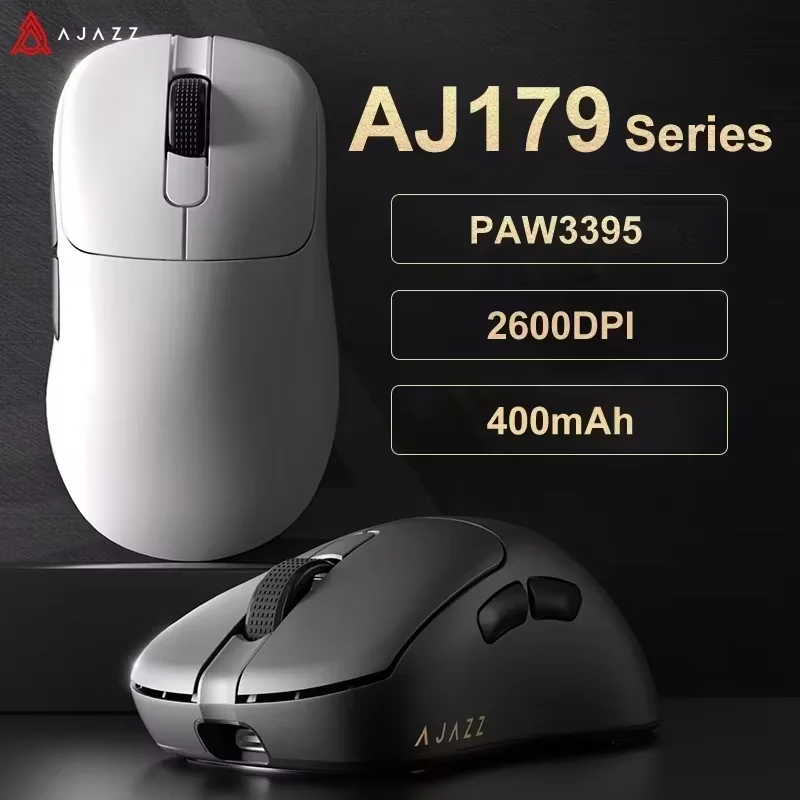
MCHOSE V9 PRO Review: Are These $48 Gaming Headphones an Unbeatable Value?

MCHOSE V9 PRO Review: Are These $48 Gaming Headphones an Unbeatable Value?
★★★★★ (98.2%/5)

Unleash Your Audio: The MCHOSE V9 PRO Headphones Review

Tired of compromising on sound quality or shelling out a fortune for a decent headset? Gamers, music lovers, and remote workers often face the same dilemma: cheap headphones disappoint, while premium ones drain the wallet. What if there was a sweet spot – a versatile, feature-packed headset that delivers without breaking the bank? Enter the Original MCHOSE V9 PRO Music Esports Gaming Headphones, a name that promises a lot for a price that raises eyebrows.

Why the MCHOSE V9 PRO Is a Serious Steal at $48.05

At first glance, a price tag of just ~$48.05 for a feature-rich gaming headset might seem too good to be true. Yet, with a remarkable 98.2% 5-star rating, the MCHOSE V9 PRO isn’t just surviving in the budget audio market; it’s thriving. This isn’t just about being cheap; it’s about delivering incredible value. You’re getting a multi-functional device designed for various scenarios, from intense gaming sessions to crucial work calls, all for less than the cost of many basic wired headphones.

MCHOSE V9 PRO Review: Are These $48 Gaming Headphones an Unbeatable Value? Detail
A closer look at the details

It won’t challenge a $300 audiophile headset in terms of raw acoustic purity, but for its price point, the MCHOSE V9 PRO offers a compelling package that punches well above its weight. Speaking of incredible budget finds, have you ever wondered if these $18 Run DMC High Top Sneakers are the ultimate retro steal?

Key Features Deep Dive: What Makes It Stand Out?

🎮 3-Mode Wireless Versatility for Any Scenario

The MCHOSE V9 PRO’s standout feature is its 3-mode connectivity. This means you’re not just getting Bluetooth; you also have a dedicated 2.4GHz wireless mode (likely via a USB dongle) for low-latency gaming and a traditional wired option via a 3.5mm jack. The benefit? Seamlessly switch between your gaming PC, console, smartphone, or tablet without compatibility headaches. The 2.4GHz mode is crucial for responsive gaming, while Bluetooth offers convenience for mobile and music, and the wired option ensures you’re never out of power.

🔇 Immersive Noise Reduction & Crystal-Clear Mic

Whether you’re trying to hear every subtle footstep in an FPS game or focusing during an important online meeting, the integrated noise reduction technology helps isolate you from distracting ambient sounds. This isn’t just a spec; it’s a benefit that enhances immersion and clarity. Coupled with a customized microphone, your teammates or colleagues will hear you loud and clear, free from background chatter, ensuring effective communication when it matters most.

✨ Customized Head-mounted Design for Marathon Comfort

Long gaming sessions or extended work calls can be brutal on uncomfortable headphones. The "Customized Head-mounted" design of the V9 PRO suggests an emphasis on ergonomics and adjustable fit. This means the headset is built to distribute weight evenly and provide a snug yet comfortable fit, minimizing fatigue. The benefit is simple: you can wear these headphones for hours on end without discomfort, keeping your focus on the game or task at hand.

Who Is This For?

  • Budget-Conscious Gamers: Seeking a versatile headset for PC, console, and mobile gaming without spending a fortune.
  • Students & Remote Workers: Needing a reliable, comfortable headset for online classes, video calls, and casual entertainment.
  • Casual Music Listeners: Anyone looking for decent audio quality and wireless convenience for everyday listening.
  • Value Seekers: Those who prioritize a high feature-to-price ratio above premium brand names.

✅ Pros

  • Exceptional Value: Feature-rich for just $48.05.
  • Highly Versatile: 3-mode wireless/wired connectivity.
  • Effective Noise Reduction: Enhances focus and immersion.
  • Clear Microphone: Reliable for communication.
  • Comfortable Design: Suitable for extended wear.
  • High User Satisfaction: 98.2% positive rating.

🔻 Cons

  • Not Audiophile Grade: Sound quality won’t match high-end headphones.
  • Durability Unknown: Might not be as robust as premium brands.
  • “Customized” May Vary: Refers to adjustability, not a personalized fit.

Final Verdict: A Budget Headset That Delivers

The Original MCHOSE V9 PRO Music Esports Gaming Headphones present an incredibly compelling offer for anyone seeking maximum features without the exorbitant price. For ~$48.05, you’re getting a highly versatile 3-mode headset with noise reduction and a clear mic, all wrapped in a comfortable design. While it won’t replace a top-tier audiophile setup, its performance-to-price ratio is outstanding, making it a fantastic choice for budget-conscious gamers, students, and remote workers. If you’re looking for a reliable, multi-functional audio solution that truly gives you bang for your buck, the MCHOSE V9 PRO is definitely worth considering.

Frequently Asked Questions

What are the MCHOSE V9 PRO’s connectivity options?

The MCHOSE V9 PRO offers versatile 3-mode connectivity: 2.4GHz wireless for low-latency gaming (typically with a USB dongle), Bluetooth for mobile devices, and a wired connection via a 3.5mm audio jack for universal compatibility or when battery runs low.

Is the noise reduction effective for gaming and calls?

Yes, the integrated noise reduction technology is designed to minimize ambient distractions, allowing you to focus better on in-game audio cues or maintain clearer conversations during voice chats and online meetings. While not necessarily active noise cancellation (ANC), it significantly helps improve audio clarity and immersion.

How comfortable are the MCHOSE V9 PRO headphones for long periods?

The “Customized Head-mounted” design emphasizes ergonomic comfort, aiming for a secure yet comfortable fit that reduces pressure during extended use. This makes them well-suited for marathon gaming sessions, long study periods, or all-day remote work without causing significant fatigue.

What is the microphone quality like?

The MCHOSE V9 PRO features a customized microphone designed for clear voice pickup. This ensures that your voice is transmitted clearly to teammates or during calls, enhancing communication quality even in slightly noisy environments due to its noise reduction capabilities.


Check Best Price ➔

*Price may vary based on promotions.

Posted on

AJAZZ AJ179 PRO Review: Is This $23.24 Gaming Mouse a Must-Have?

AJAZZ AJ179 PRO Review: Is This $23.24 Gaming Mouse a Must-Have?
★★★★★ (98.0%/5)

Is Your Mouse Holding You Back? Meet the AJAZZ AJ179 PRO!

Lagging clicks, uncomfortable grips, and wires that tie you down – sound familiar? Many gamers and everyday PC users settle for subpar mice, either enduring poor performance from cheap options or balking at the hefty price tags of high-end peripherals. But what if you could get the best of both worlds? What if a mouse offered competitive performance, wireless freedom, and premium features without emptying your wallet?

Enter the AJAZZ AJ179 PRO PAW3395 Lightweight Wired Wireless Mouse with Magnetic Charging Base Ergonomic Macro Gaming Mouse. Don’t let the mouthful of a name intimidate you; this mouse is making waves with its incredible value, boasting a near-perfect 98.0%/5-star rating. We dive deep to see if this ~$23.24 marvel truly delivers.

Why It’s a Steal: Unbeatable Performance at an Unbelievable Price

In the world of gaming peripherals, a mouse packing a high-end sensor, dual connectivity, and ergonomic design typically comes with a price tag well north of $50, often closer to $100 or more. That’s why the AJAZZ AJ179 PRO’s price point of approximately $23.24 immediately catches the eye. It challenges the notion that quality must come at a premium.

AJAZZ AJ179 PRO Review: Is This $23.24 Gaming Mouse a Must-Have? Detail
A closer look at the details

For roughly the cost of a couple of coffees, you’re getting features that defy its budget status. This isn’t just a cheap mouse; it’s a statement that high performance can be accessible. While it won’t dethrone a $200 esports-grade flagship mouse in every single nuanced metric, for its price, the AJAZZ AJ179 PRO offers an incredible bang for your buck. If you’re always on the lookout for budget-friendly items that punch above their weight, you might also be interested in our take on whether $1.40 Sport Insoles can truly deliver unbeatable comfort.

Key Features Deep Dive: What Makes It Special?

🎮 Pro-Grade Precision with the PAW3395 Sensor

At the heart of any great gaming mouse is its sensor, and the AJAZZ AJ179 PRO doesn’t disappoint. It features the PAW3395 sensor, a top-tier optical sensor known for its exceptional accuracy, high polling rates, and impressive DPI range. The benefit? This means incredibly precise tracking, zero acceleration, and pixel-perfect aim whether you’re landing headshots in your favorite FPS or performing detailed graphic design work. You get the responsiveness and reliability typically reserved for much more expensive mice, giving you a competitive edge.

⚡️ Wired, Wireless, and Magnetic Charging Convenience

Flexibility is key, and the AJ179 PRO delivers with true dual-mode connectivity. Enjoy the freedom of a wireless mouse with its stable 2.4Ghz connection, perfect for a clutter-free desk and fluid movement. For those critical moments where every millisecond counts, or when battery life is low, simply plug in the included USB-C cable for a reliable wired connection. But the real game-changer is the magnetic charging base. This elegant solution allows you to simply dock your mouse when not in use, ensuring it’s always charged and ready without fumbling with cables. It looks sleek on your desk and adds a premium feel to your setup.

✨ Lightweight Ergonomic Design with Macro Gaming Capabilities

Comfort and control are paramount, especially during extended gaming sessions or work hours. The AJ179 PRO boasts a lightweight design, reducing strain on your wrist and allowing for quicker, more agile flicks. Coupled with its ergonomic shape, it fits snugly in your hand, providing a comfortable grip that minimizes fatigue. Beyond comfort, this is a true ‘Macro Gaming Mouse,’ meaning you can program custom commands and complex sequences to its buttons. This feature can streamline your workflow, execute complex in-game actions with a single click, and give you a tactical advantage in competitive titles.

Who Is This For?

  • Budget-Conscious Gamers: If you want competitive performance without the premium price tag.
  • Students & Casual Users: Looking for a reliable, versatile mouse for everyday tasks, studying, and light gaming.
  • Home Office Workers: Appreciating the ergonomic design and dual connectivity for a comfortable, clutter-free workspace.
  • Tech Enthusiasts: Curious about getting high-end features at an entry-level price.

✅ Pros

  • Exceptional PAW3395 sensor for precision
  • Wired and 2.4Ghz wireless connectivity
  • Convenient magnetic charging base
  • Lightweight and ergonomic design
  • Customizable macro buttons
  • Outstanding value for money (~$23.24)
  • High user satisfaction (98.0%/5 stars)

🔻 Cons

  • May not have the same build materials as $100+ mice
  • Software experience might be less refined than major brands
  • Battery life not explicitly stated, may vary
  • No Bluetooth connectivity option

Final Verdict: A Budget Marvel for Gamers and Beyond

The AJAZZ AJ179 PRO is a remarkable mouse that shatters expectations for its price point. With a top-tier PAW3395 sensor, versatile wired and wireless connectivity, and the sheer convenience of a magnetic charging base, it offers features usually found in mice three to four times its cost. While discerning gamers might notice subtle differences compared to flagship models, for the vast majority of users, this mouse delivers an experience that is both premium and accessible.

If you’re on a tight budget but refuse to compromise on performance and modern features, the AJAZZ AJ179 PRO is an absolute no-brainer. It’s not just a good mouse for $23.24; it’s a genuinely great mouse that redefines value in the peripheral market. Highly recommended for anyone looking to upgrade their setup without breaking the bank.

Frequently Asked Questions

What is the PAW3395 sensor, and why is it important?

The PAW3395 is a high-performance optical sensor developed by PixArt. It’s known for its exceptional accuracy, high maximum DPI (dots per inch), fast tracking speed, and low lift-off distance. For users, this means ultra-precise and responsive cursor control, crucial for gaming and detailed work, with minimal input lag.

How do the wired and wireless modes work?

The AJAZZ AJ179 PRO offers dual-mode connectivity. For wireless use, it connects via a 2.4Ghz USB dongle, providing a stable, low-latency connection. For wired use, you can connect the included USB-C cable directly to your PC, which also charges the mouse simultaneously. The magnetic charging base is an additional convenience for wireless charging when the mouse is not in use.

Can I customize the macro buttons?

Yes, the AJAZZ AJ179 PRO is designed as a macro gaming mouse, meaning it typically comes with software that allows you to program its customizable buttons. You can assign single key presses, complex macros, or specific functions to these buttons to enhance your gaming experience or productivity.

Is the AJAZZ AJ179 PRO compatible with Mac?

While primarily designed for Windows PCs, most USB mice function with basic plug-and-play capability on Mac operating systems. However, advanced features like macro programming and specific software customization might require Windows-based software or may not be fully supported on macOS.


Check Best Price ➔

*Price may vary based on promotions.

Posted on

AJAZZ NK61 Review: Is This $19 Gaming Keyboard the Ultimate Budget Buy?

AJAZZ NK61 Review: Is This $19 Gaming Keyboard the Ultimate Budget Buy?
★★★★★ (98.0%/5)

Tired of Overpriced Gaming Gear? Meet Your New Budget Champion!

Are you a gamer or a productivity enthusiast who’s tired of mushy membrane keyboards, but balks at the triple-digit price tags of premium mechanical options? Imagine getting a feature-packed, responsive, and stylish mechanical keyboard for less than the cost of a few fast-food meals. Sounds too good to be true? Enter the AJAZZ NK61 Wired Gaming Mechanical Keyboard, a compact powerhouse that’s changing the game for budget-conscious users.

Why the AJAZZ NK61 is an Absolute Steal

At an astonishing price point of just ~$19.41, the AJAZZ NK61 isn’t just affordable; it’s a disruptor. This isn’t some flimsy toy; it’s a genuine mechanical keyboard with features typically found on models costing five times as much. With an outstanding 98.0% positive rating from users, it clearly delivers on its promises, proving that top-tier performance doesn’t always come with a hefty premium. Much like evaluating if the LT21 Child Smartwatch is a Smart Buy, finding high-value tech often means digging a little deeper to unearth these hidden gems.

AJAZZ NK61 Review: Is This $19 Gaming Keyboard the Ultimate Budget Buy? Detail
A closer look at the details

While it won’t out-perform a custom-built keyboard costing hundreds, for its asking price, the AJAZZ NK61 offers an incredible balance of quality, features, and performance that makes it an unbeatable value proposition.

Key Features Deep Dive

60% Mini Keyboard Layout: Maximize Your Desk Space

The AJAZZ NK61 embraces the popular 60% form factor, ditching the numeric keypad, function row, and arrow keys to give you a supremely compact footprint. This isn’t just about aesthetics; it means more room for mouse movements during intense gaming sessions and a cleaner, minimalist setup for any desk. It’s also incredibly portable, making it easy to toss in a bag for gaming on the go or when switching between setups.

Vibrant RGB Backlighting: Your Setup, Your Style

What’s a gaming keyboard without some flair? The NK61 boasts dazzling RGB backlighting, allowing you to customize your keyboard’s look with a spectrum of colors and dynamic lighting effects. Beyond just looking cool, RGB can enhance your gaming atmosphere and make keys visible in low-light conditions. It’s a premium feature that truly elevates the overall user experience.

Hot-Swappable Red Switches: Smooth Performance, Endless Customization

This is where the AJAZZ NK61 truly shines as a budget marvel. It comes equipped with linear Red Switches, known for their smooth, consistent actuation, making them a favorite among gamers for quick, unobstructed key presses. But the real game-changer is its hot-swappable design. This means you can easily pull out the existing switches and replace them with almost any 3-pin or 5-pin mechanical switch without needing to solder. Want to try a different feel? Change a faulty switch? Or even mix and match switches for different key functions? The NK61 makes it possible, offering an unprecedented level of customization for this price point.

Who Is This For?

The AJAZZ NK61 is perfect for:

  • Budget Gamers: Those looking for a competitive edge without emptying their wallets.
  • Students & Dorm Dwellers: Its compact size saves precious desk space, and the price is student-friendly.
  • First-Time Mechanical Keyboard Owners: An excellent entry point into the world of mechanical keyboards with room for future customization.
  • Minimalist Setup Enthusiasts: Anyone aiming for a clean, uncluttered desk aesthetic.
  • Travelers & Commuters: Easy to pack and carry for gaming or work on the go.

✅ Pros

  • Unbeatable Value: Feature-rich mechanical keyboard for under $20.
  • Hot-Swappable Switches: Easy customization and repair without soldering.
  • Compact 60% Layout: Saves desk space and enhances portability.
  • Vibrant RGB Backlighting: Aesthetic appeal and customizability.
  • Red Switches Included: Smooth, linear action ideal for gaming.
  • High User Rating: 98% positive reviews speak volumes about satisfaction.

🔻 Cons

  • Wired Only: Lacks wireless connectivity for some users.
  • 60% Layout Learning Curve: May take time to adjust to missing dedicated keys (e.g., arrow keys via function layer).
  • Build Quality is Good, Not Premium: Expect a plastic casing, not metal.
  • Entry-Level Switches: While good, they won’t compare to high-end enthusiast switches.

Final Verdict: A Budget Powerhouse You Can’t Ignore

The AJAZZ NK61 Wired Gaming Mechanical Keyboard is more than just a keyboard; it’s a statement. It proves that you don’t need to spend a fortune to get a feature-rich, high-performing mechanical keyboard. For just ~$19.41, you’re getting hot-swappable switches, vibrant RGB, and a compact 60% layout with smooth Red Switches. While it won’t dethrone thousand-dollar custom builds, for its price, it offers an astounding bang for your buck. If you’re looking to elevate your typing and gaming experience without breaking the bank, the AJAZZ NK61 is an easy recommendation.

Frequently Asked Questions

What does ‘60% keyboard’ mean?

A 60% keyboard is a compact layout that removes the number pad, function row (F1-F12), navigation cluster (home, end, page up/down), and arrow keys. These functionalities are usually accessed via a function (Fn) key combination, saving significant desk space and making the keyboard highly portable.

What are ‘hot-swappable’ switches?

Hot-swappable refers to the ability to remove and replace individual key switches on the keyboard without needing to desolder or resolder them. This allows for easy customization of the typing feel, quick replacement of faulty switches, and experimentation with different switch types.

Are Red Switches good for gaming?

Yes, Red Switches are widely considered excellent for gaming. They are linear switches, meaning they have a smooth, consistent actuation from top to bottom without a tactile bump or audible click. This allows for fast, repetitive key presses and minimal finger fatigue, which is ideal for competitive gaming.

Can I use this keyboard with a Mac?

The AJAZZ NK61 is generally compatible with macOS. While it’s primarily designed for Windows PCs, most wired USB keyboards work plug-and-play with Macs. Some key mappings (like Cmd and Alt) might be swapped, but this can often be reconfigured within macOS settings.


Check Best Price ➔

*Price may vary based on promotions.

Posted on

AJAZZ AJ179 PRO Mouse Review: Unbeatable Gaming Performance for $23?

AJAZZ AJ179 PRO Mouse Review: Unbeatable Gaming Performance for $23?
★★★★★ (98.0%/5)

Tired of Overpriced Gear? Meet Your Next Gaming Mouse.

Are you constantly balancing between the desire for high-performance gaming gear and the reality of a tight budget? Or perhaps you’re fed up with tangled mouse cables and batteries dying mid-game? Many gamers face this dilemma: splurge on a flagship mouse or settle for a basic one. But what if you could have premium features, including a top-tier sensor and wireless convenience, without the premium price tag?

Enter the AJAZZ AJ179 PRO PAW3395 Lightweight Wired Wireless Mouse. This device promises top-tier gaming performance, ergonomic comfort, and convenient charging, all for an astonishingly low price that challenges the entire market.

Why It’s a Steal for Just ~$23.35

At just ~$23.35, the AJAZZ AJ179 PRO seems almost too good to be true. This isn’t just another budget mouse; it packs the **PAW3395 sensor**, a component renowned for its precision and responsiveness, typically found in mice costing several times more. This sensor offers exceptional accuracy, crucial for competitive gaming and demanding tasks.

While it won’t have the premium build materials or extensive software suite of a $150 flagship from a leading brand, for its price, the outstanding 98.0%/5 stars rating speaks volumes. This mouse delivers an incredible experience, punching far above its weight class and redefining what’s possible in the budget peripheral category.

AJAZZ AJ179 PRO Mouse Review: Unbeatable Gaming Performance for $23? Detail
A closer look at the details

Key Features Deep Dive

Unrivaled Precision with the PAW3395 Sensor

The inclusion of the **PAW3395 sensor** is the AJAZZ AJ179 PRO’s biggest trump card. This isn’t just a number; it translates directly to **pixel-perfect accuracy** and **lightning-fast tracking**. Whether you’re lining up precise headshots in an FPS, executing intricate movements in an RTS, or performing detailed graphic design work, this mouse keeps up with your every move without skipping a beat. Say goodbye to frustrating input lag or missed clicks that cost you the game.

Freedom of Movement: Wired or Wireless with Magnetic Charging

Enjoy the **ultimate flexibility** with both wired and wireless connectivity. Go wireless for a clutter-free desk and unrestricted movement, perfect for intense gaming sessions or comfortable casual browsing. When the battery runs low, simply dock it onto its **convenient magnetic charging base** for effortless replenishment. Alternatively, plug it in directly for a reliable wired connection with zero downtime. This dual-mode functionality means you’re always ready, no matter the situation.

Ergonomic Design & Macro Customization

Designed for **comfort during long gaming marathons**, the AJAZZ AJ179 PRO’s ergonomic shape helps reduce strain on your hand and wrist, allowing you to stay focused on the game. Beyond comfort, its **macro customization** feature allows you to program complex sequences of commands to a single button. This level of personalization can give you a significant competitive edge and streamline your workflow, making it valuable for both gamers and productivity-focused users.

Who Is This For?

  • Budget-conscious gamers who refuse to compromise on core performance.
  • Students and casual users looking for a versatile, high-quality mouse for both work and play.
  • Anyone seeking a **clean, wireless setup** with the convenience of a charging dock.
  • Users upgrading from basic office mice who want a significant performance boost without breaking the bank.

Pros & Cons

✅ Pros

  • Exceptional PAW3395 sensor at an unbeatable price.
  • Flexible wired and wireless connectivity.
  • Convenient magnetic charging base for a tidy setup.
  • Lightweight and ergonomic design for comfort.
  • Macro programmability for customization.
  • Outstanding value for money with a high rating.

🔻 Cons

  • Build quality may not match ultra-premium brands (expected at this price).
  • Software interface might be less polished than higher-end competitors.
  • Battery life duration not specified (could be a minor factor if not exceptional).

Final Verdict

The AJAZZ AJ179 PRO PAW3395 mouse is nothing short of a **revelation in budget gaming peripherals**. It confidently challenges the notion that you need to spend a fortune to get a high-performance gaming mouse. With its top-tier sensor, versatile dual-mode connectivity, comfortable ergonomic design, and magnetic charging base, it delivers an experience that far exceeds its **~$23.35 price tag**.

If you’re looking for an **affordable yet powerful gaming mouse** that offers incredible value and stellar performance, the AJ179 PRO is an easy recommendation. It’s not just “good for the price”; it’s genuinely a fantastic mouse that will elevate your gaming experience without breaking the bank.

Frequently Asked Questions

Is the AJAZZ AJ179 PRO good for competitive gaming?

Absolutely. The inclusion of the PAW3395 sensor means it offers excellent tracking precision and responsiveness, making it highly capable for competitive gaming. While professional e-sports players might opt for even more premium options, for the vast majority of gamers, this mouse provides a significant competitive edge.

What’s the battery life like for wireless mode?

While specific battery life duration can vary with usage, the convenience of the magnetic charging base means you can easily keep it topped up when not in use. For extended sessions, you always have the option to switch to wired mode without interruption.

Can I customize the buttons and macros?

Yes, the AJAZZ AJ179 PRO supports macro customization, allowing you to program buttons for specific functions or complex command sequences. This feature greatly enhances its utility for both gaming and general productivity.

How does it compare to more expensive gaming mice?

In terms of raw sensor performance, it holds its own against mice costing much more, thanks to the PAW3395. Where more expensive mice might surpass it is in premium build materials, advanced software features, or ultra-low latency wireless tech from top-tier brands. However, for its ~$23.35 price, the AJ179 PRO offers an unparalleled performance-to-cost ratio.


Check Best Price ➔

*Price may vary based on promotions.
Posted on

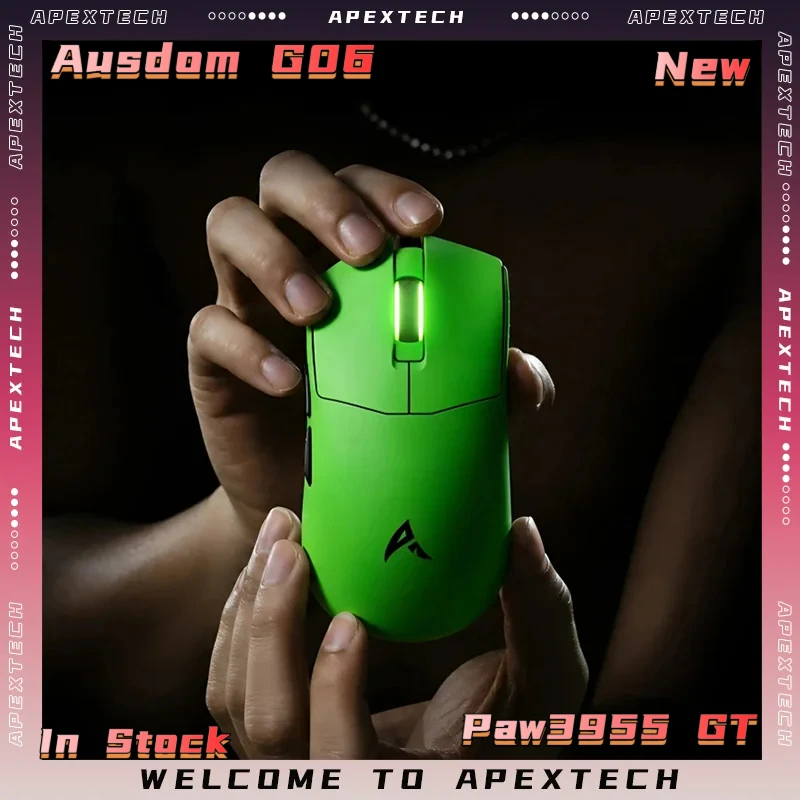
Jomaa RGB Vertical Gaming Mouse: A $31.54 Game Changer?

Jomaa RGB Vertical Gaming Mouse: A $31.54 Game Changer?
★★★★★ (97.8%/5)

Tired of Gaming Hand Fatigue? This Mouse Might Be Your Answer.

Hours of intense gaming can take a toll on your wrist and hand. The repetitive movements and unnatural grip of traditional mice often lead to discomfort, pain, and even long-term issues. What if there was a way to maintain your competitive edge without sacrificing ergonomics, and all for a price that won’t break the bank?

Enter the Jomaa RGB Backlit Vertical Gaming Mouse. Sporting a unique design, high-end specs like 24000DPI, and programmable buttons, this wired wonder promises to redefine your gaming experience. But at just ~$31.54, can it truly deliver? Let’s dive in.

Why It’s a Steal at $31.54

In a world where premium gaming mice can easily cost upwards of $100, the Jomaa RGB Backlit Vertical Gaming Mouse stands out as an incredible value proposition. For a mere $31.54, you’re not just getting a basic pointing device; you’re investing in an ergonomic solution packed with features usually found in much pricier peripherals. The overwhelming 97.8%/5 stars rating from users speaks volumes about its performance and perceived quality relative to its budget-friendly price.

Jomaa RGB Vertical Gaming Mouse: A $31.54 Game Changer? Detail
A closer look at the details

While it won’t necessarily outperform a high-end, triple-digit flagship mouse, for the casual gamer, esports enthusiast on a budget, or anyone looking to alleviate wrist strain, this mouse offers an undeniable blend of performance, comfort, and aesthetics that punches well above its weight class.

Key Features Deep Dive

The Ergonomic Vertical Design: Comfort Meets Control

The most striking feature of the Jomaa mouse is its vertical orientation. Unlike traditional mice that force your hand into a flat, pronated position, this vertical design allows your hand to rest in a natural ‘handshake’ posture. The benefit? Significantly reduced wrist strain and forearm twisting, leading to greater comfort during marathon gaming sessions or long workdays. It might take a little getting used to, but the long-term ergonomic benefits are often cited as a game-changer for many users.

Blazing Precision with 24000DPI Adjustment

Don’t let the price tag fool you; this mouse packs a serious punch in the precision department. With an **adjustable DPI up to an impressive 24000**, you have granular control over your cursor speed and sensitivity. Whether you’re making pixel-perfect headshots in an FPS or navigating vast open worlds, you can fine-tune the DPI on the fly to match your play style and game requirements. This level of responsiveness is crucial for competitive gaming and can genuinely enhance your performance.

RGB Backlighting and Programmable Buttons: Style and Substance

What’s a gaming setup without a little flair? The **vibrant RGB backlighting** on the Jomaa mouse adds a dynamic, customizable aesthetic to your desk. Cycle through colors, set static hues, or enjoy various lighting effects that complement your gaming rig. Beyond looks, the inclusion of programmable buttons takes functionality to the next level. Assign complex macros, frequently used commands, or in-game actions to accessible buttons, giving you a competitive edge and streamlining your workflow. Pair it with other cool accessories to personalize your battlestation, like the cutest PC accessory we reviewed recently.

Who Is This For?

The Jomaa RGB Backlit Vertical Gaming Mouse is ideal for:

  • Budget-Conscious Gamers: Who want gaming-grade features without the premium price.
  • Gamers with Wrist Pain: Seeking an ergonomic solution to alleviate discomfort during long sessions.
  • Productivity Users: Who spend hours at their computer and prioritize comfort and customizable controls.
  • Students: Looking for a versatile mouse for both studying and gaming, offering great value.
  • Casual PC Users: Who appreciate a stylish, comfortable, and responsive mouse for everyday tasks.

✅ Pros

  • Exceptional Value: High-end features for a budget price.
  • Ergonomic Vertical Design: Significantly reduces wrist strain.
  • High Adjustable DPI (24000): Precision for all gaming styles.
  • Programmable Buttons: Customizable controls for efficiency.
  • Vibrant RGB Backlighting: Adds aesthetic appeal to your setup.
  • Wired Connection: Ensures stable, lag-free performance critical for gaming.

🔻 Cons

  • Learning Curve: Vertical design takes some getting used to.
  • Confusing Product Name: The ‘Wireless’ part in the title is misleading, as this is a wired mouse.
  • Budget Build Materials: May not feel as premium as much more expensive mice.
  • Specific Aesthetic: RGB lighting might not appeal to everyone.

Final Verdict

The Jomaa RGB Backlit Wired Vertical Gaming Mouse at ~$31.54 is a remarkable piece of hardware, particularly for its price point. It cleverly combines ergonomic design, high-precision performance, and customizable aesthetics into a package that’s hard to beat. While its product name is a bit confusing regarding ‘wireless’ capabilities (it is a wired mouse), and the materials might not be top-tier, the benefits it offers in comfort, control, and value are undeniable. If you’re looking for an affordable gaming mouse that prioritizes wrist health without compromising on core gaming features, this Jomaa model is an outstanding contender worthy of your consideration.

Frequently Asked Questions

Is the Jomaa mouse truly wireless or wired?

Despite some confusion in the product title, the Jomaa 24000DPI mouse we are reviewing is a wired gaming mouse. This ensures a stable, lag-free connection essential for competitive gaming.

How does the vertical design benefit me?

The vertical design promotes a more natural ‘handshake’ position for your wrist and forearm, significantly reducing pronation and strain commonly associated with traditional mice. This can lead to greater comfort and less fatigue during long usage periods, potentially preventing conditions like carpal tunnel syndrome.

Can I customize the RGB lighting and programmable buttons?

Yes, the Jomaa mouse features customizable RGB backlighting to match your setup’s aesthetic. It also comes with programmable buttons, allowing you to assign macros or specific functions for both gaming and productivity tasks, enhancing your overall efficiency.

Is 24000DPI overkill for most users?

While 24000DPI is indeed very high and likely more than most users will ever need, the key benefit is its adjustability. You can fine-tune the sensitivity to a much lower, more comfortable level, giving you precise control for various tasks and games. The high maximum simply means the sensor is capable of extreme sensitivity if desired.


Check Best Price ➔

*Price may vary based on promotions.

Posted on

VXE VGN MAD R Major Review: Is This $61 Gaming Mouse Your Next Upgrade?

VXE VGN MAD R Major Review: Is This $61 Gaming Mouse Your Next Upgrade?
★★★★★ (90.0%/5)

Tired of Sacrificing Performance for Price? Meet Your New Mouse.

Are you an avid gamer or a diligent office worker constantly searching for that perfect mouse – one that delivers **top-tier performance and ergonomic comfort** without demanding a king’s ransom? Many of us are stuck choosing between expensive, high-end peripherals or budget options that often disappoint. Laggy wireless, uncomfortable grips, or sensors that can’t keep up can ruin your experience, whether you’re trying to land that critical headshot or just power through a spreadsheet.

Enter the **VXE VGN MAD R Major Ultra-Lightweight Wireless Mouse**. With a name that hints at serious capabilities, this dual-mode esports and office mouse boasts a premium PAW3395 sensor and an ergonomic design, all for an incredibly appealing price point of just **~$61.46**. Could this be the game-changer you’ve been waiting for?

Why the VXE VGN MAD R Major Is a Steal at $61.46

The first thing that grabs your attention with the VXE VGN MAD R Major is its feature set relative to its price. A **PAW3395 sensor** is typically found in mice costing significantly more, often well over $100. This is the heart of its precision, offering flawless tracking, high maximum speed, and responsiveness crucial for competitive gaming. To get this level of technology in a mouse priced at just ~$61.46 is truly remarkable, especially considering its glowing 90.0%/5-star rating.

VXE VGN MAD R Major Review: Is This $61 Gaming Mouse Your Next Upgrade? Detail
A closer look at the details

It’s not just the sensor that makes it stand out. The combination of an **ultra-lightweight design**, **dual-mode wireless/wired connectivity**, and an **ergonomic shape** means you’re getting features usually reserved for flagship models. While it might not have the brand prestige of a Razer or Logitech, the MAD R Major focuses its budget where it truly matters: core performance and user experience.

Key Features Deep Dive

Ultra-Lightweight Design: Agility at Your Fingertips

The “Ultra-Lightweight” in its name isn’t just marketing fluff. A lighter mouse significantly **reduces wrist and arm fatigue** during long sessions, whether you’re gaming for hours or tackling a demanding workday. This allows for quicker, more precise movements and ‘flicks’ in games, giving you a competitive edge. For office use, it translates to effortless navigation and less strain, making your computing experience far more comfortable.

Precision & Versatility: PAW3395 Sensor & Dual-Mode Connectivity

The **PixArt PAW3395 sensor** is where the VXE VGN MAD R Major truly shines. This top-tier optical sensor delivers **pixel-perfect accuracy, zero smoothing, and incredible responsiveness**, making it ideal for the most demanding esports titles. Every movement translates flawlessly on-screen, ensuring you’re always in control.

Beyond its sensor, the **dual-mode connectivity** offers the best of both worlds. Use it wirelessly for a clean, clutter-free desk and unrestricted movement – perfect for gaming setups or presentation environments. When the battery runs low, or if you prefer the absolute lowest latency for a critical gaming moment, simply plug it in and continue using it as a wired mouse. This versatility makes it a fantastic all-rounder. If you’re looking for other high-value tech gifts that deliver surprising performance for the price, you might also be interested in our take on an affordable 4WD drift RC car.

Ergonomic Comfort: Game Longer, Work Smarter

An often overlooked aspect, ergonomics, is crucial for long-term use. The MAD R Major’s design is crafted to fit naturally in your hand, **reducing strain and discomfort** during extended periods. Whether you prefer a palm, claw, or fingertip grip, its contours provide a supportive and comfortable experience. This focus on ergonomics makes it not just a powerful gaming tool, but also an excellent choice for daily office tasks, ensuring your hand stays happy hour after hour.

Who Is This For?

  • **Budget-Conscious Gamers:** Those who want competitive performance without the premium price tag.
  • **Esports Enthusiasts:** Players who prioritize a precise sensor, low latency, and lightweight design.
  • **Remote Workers & Office Professionals:** Individuals seeking an ergonomic, reliable, and versatile mouse for daily productivity.
  • **Students:** A great value-for-money option that serves both study and leisure needs.
  • **Anyone Seeking Value:** If you appreciate getting high-end features at a fraction of the cost.

✅ Pros

  • **Exceptional Value:** PAW3395 sensor at an unbeatable price.
  • **Ultra-Lightweight:** Reduces fatigue and improves agility.
  • **Ergonomic Design:** Comfortable for long gaming or work sessions.
  • **Dual-Mode Connectivity:** Flexibility of wireless and wired options.
  • **High Precision:** Flawless tracking for competitive play.
  • Versatile for both gaming and office use.

🔻 Cons

  • Brand recognition is less than major competitors.
  • May lack some advanced software features found in premium mice.
  • Build materials might not feel as ‘premium’ as $150+ alternatives.

Final Verdict

The VXE VGN MAD R Major Ultra-Lightweight Wireless Mouse is a standout product that truly delivers on its promise of high performance for a budget price. For **~$61.46**, you’re getting a mouse equipped with a top-tier PAW3395 sensor, an ultra-light and ergonomic build, and versatile dual-mode connectivity. It’s an incredible option for gamers looking to gain an edge without emptying their wallets, and equally suitable for professionals seeking a comfortable and precise tool for their daily tasks. If you’re tired of compromise, the MAD R Major is a compelling choice that punches well above its weight class.

Frequently Asked Questions

Is the VXE VGN MAD R Major good for competitive gaming?

Absolutely. The inclusion of the PixArt PAW3395 sensor, an ultra-lightweight design, and low-latency dual-mode connectivity makes it highly suitable for competitive gaming, offering precision and responsiveness comparable to much more expensive mice.

What’s the benefit of “Dual-Mode” connectivity?

Dual-mode allows you to use the mouse wirelessly for freedom of movement and a clutter-free setup, or wired for a direct, zero-latency connection, which is also convenient for charging. This versatility ensures you have the best option for any scenario.

Is this mouse comfortable for long periods of use?

Yes, its ergonomic design is specifically crafted to fit comfortably in your hand, reducing strain. Combined with its ultra-lightweight nature, it significantly minimizes fatigue, making it suitable for extended gaming sessions or long workdays.

How does the VXE VGN MAD R Major compare to more expensive gaming mice?

It offers similar core performance in terms of sensor accuracy and lightweight design to many high-end gaming mice, but at a fraction of the cost. While it might lack some niche premium features or extensive software customization of top-tier brands, its incredible value proposition for its core features is hard to beat.


Check Best Price ➔

*Price may vary based on promotions.
Posted on

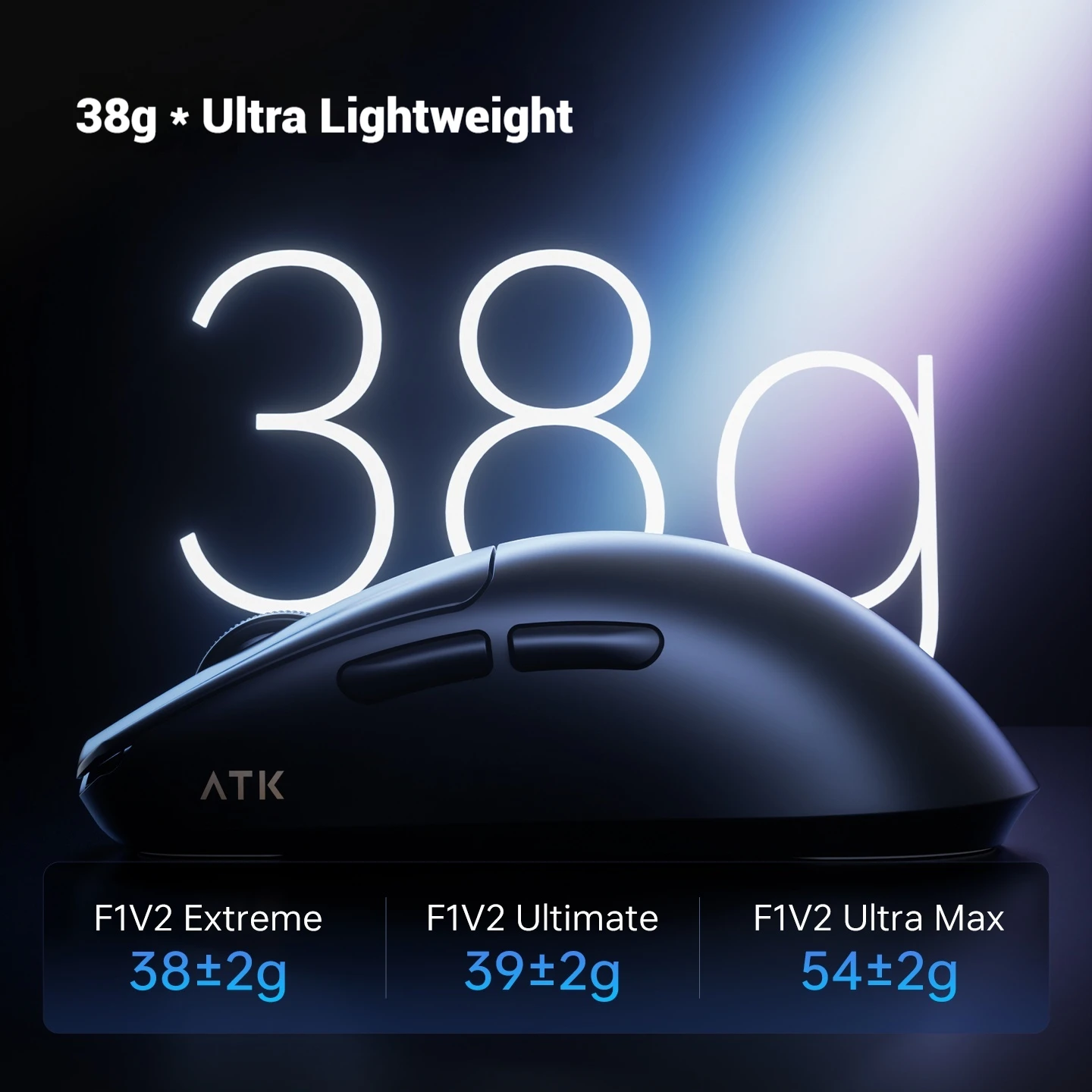
FURYCUBE K99pro Review: Is This $89 Wireless Mechanical Keyboard Worth It?

FURYCUBE K99pro Review: Is This $89 Wireless Mechanical Keyboard Worth It?

Tired of Desk Clutter and Laggy Typing? The FURYCUBE K99pro Might Be Your Next Upgrade!

In the world of desktop computing, a reliable and responsive keyboard isn’t just a luxury—it’s essential for productivity and peak gaming performance. But with so many options, finding the sweet spot between cutting-edge features and an affordable price can feel like a quest. If you’re wrestling with tangled cables, craving the satisfying click of mechanical switches, or simply want a cleaner, more versatile desk setup, the FURYCUBE K99pro Wireless Gaming Mechanical Keyboard aims to deliver a premium experience without the premium price tag.

Why This $89.76 Keyboard is a Genuine Steal

At approximately $89.76, the FURYCUBE K99pro isn’t just another keyboard; it’s a statement about value. For less than ninety dollars, you’re getting a mechanical keyboard with advanced 3-mode wireless connectivity and a distinctive design. To put that into perspective, many entry-level wired mechanical keyboards alone can cost this much, let alone one offering the flexibility of multi-device wireless pairing. This isn’t just about saving money; it’s about investing in a device that elevates your daily interactions with your computer, whether you’re battling online foes or churning out documents.

FURYCUBE K99pro Review: Is This $89 Wireless Mechanical Keyboard Worth It? Detail
A closer look at the details

While it might not boast the ultra-premium materials or hyper-specific switch options of keyboards costing several times its price, the K99pro targets the core needs of gamers and power users alike: **responsiveness, reliability, and a clean aesthetic**. It promises a significant upgrade over standard membrane keyboards, making it an incredible proposition for anyone looking to enhance their setup without breaking the bank. For those passionate about a clutter-free workspace, pairing this wireless keyboard with a solution like the Mac mini M4 Mount for $13? Unclutter Your Desk for Less! can truly transform your battle station.

Key Features Deep Dive: What Makes the K99pro Stand Out?

Wireless Freedom & Triple Connectivity

The FURYCUBE K99pro truly shines with its 3-mode wireless connectivity. This isn’t just standard Bluetooth; it typically implies Bluetooth, a 2.4GHz wireless dongle for lower latency (crucial for gaming), and a wired USB-C option. What does this mean for you? **Unparalleled flexibility and a tidy workspace.** You can seamlessly switch between your desktop PC, laptop, or even a tablet with a simple key press, eliminating the need for multiple keyboards or constantly plugging and unplugging cables. Imagine a desk free from cable spaghetti, providing a cleaner, more focused environment. It’s the kind of feature you usually find on much more expensive peripherals.

Mechanical Switches for Tactile Precision

At its heart, the K99pro is a mechanical keyboard, a feature highly coveted by typists and gamers alike. While the specific switch type isn’t detailed, mechanical switches generally offer a **superior tactile feel and audible feedback** compared to traditional membrane keyboards. This translates to more precise key presses, faster actuation, and a more satisfying typing experience. For gamers, this means quicker reactions and a clearer understanding of when a key has registered, potentially giving you an edge in competitive play. For typists, it can lead to reduced fatigue and improved accuracy over long sessions.

Unique Side Carved Design

Beyond its technical prowess, the FURYCUBE K99pro boasts a distinctive “Side Carved Design.” This isn’t just a gimmick; it adds a unique aesthetic flair that makes the keyboard stand out from the crowd of generic black rectangles. While specific ergonomic benefits might depend on the carving, it certainly gives the keyboard a more premium and customized look. It’s a subtle touch that shows attention to detail, making your desk setup feel more personalized and visually appealing. Coupled with other smart desk accessories, like considering if the SK18 Mini Invisible Headphones: Is This $5 Gadget a Must-Have? is right for your audio needs, you can truly create an optimized workspace.

Who Is the FURYCUBE K99pro For?

  • Budget-Conscious Gamers: Looking for a performance edge without the high price of premium gaming brands.
  • Multitaskers & Power Users: Those who frequently switch between multiple devices (PC, laptop, tablet) and appreciate the convenience of 3-mode wireless.
  • Students & Home Office Workers: Seeking a versatile, space-saving keyboard that can handle both heavy typing and casual gaming.
  • Anyone Upgrading from Membrane: If you’ve only ever used standard keyboards, the K99pro offers an accessible entry point into the world of mechanical typing.
  • Clean Desk Enthusiasts: For those who prioritize a minimalist and cable-free workspace.

✅ Pros

  • Exceptional Value: Wireless mechanical keyboard for under $90 is hard to beat.
  • Versatile 3-Mode Connectivity: Seamlessly switch between multiple devices (Bluetooth, 2.4GHz, wired).
  • Tactile Mechanical Switches: Enhanced typing and gaming experience with satisfying feedback.
  • Clean Desk Solution: Wireless design helps declutter your workspace.
  • Unique Aesthetics: Stand out with the distinctive side carved design.

🔻 Cons

  • Undisclosed Switch Type: Specific mechanical switch brand/model isn’t mentioned (likely generic).
  • No User Ratings: Long-term reliability and community feedback are unknown.
  • Battery Life Not Specified: Performance for extended wireless use is a question mark.
  • No RGB Lighting Mentioned: Could be a drawback for gamers who prefer customizable backlighting.
  • Budget-Tier Build: May not match the premium feel of keyboards costing hundreds more.

Final Verdict: A Budget-Friendly Powerhouse?

The FURYCUBE K99pro Wireless Gaming Mechanical Keyboard presents a compelling package for its ~$89.76 price tag. It ingeniously combines the tactile satisfaction of mechanical switches with the ultimate convenience of 3-mode wireless connectivity, all wrapped in a unique design. While it asks you to manage expectations regarding ultra-premium features or brand-name switches, what it delivers for the price is truly remarkable. If you’re a gamer, a multitasker, or simply someone looking to upgrade to a more responsive and organized setup without emptying your wallet, the K99pro is definitely worth a closer look. It’s not just a keyboard; it’s an accessible gateway to a superior computing experience.

Frequently Asked Questions

What are the connectivity options for the FURYCUBE K99pro?

The FURYCUBE K99pro features versatile 3-mode connectivity, typically including Bluetooth for general wireless use, a 2.4GHz wireless dongle for lower-latency gaming, and a wired USB-C connection for charging and direct input.

Is the FURYCUBE K99pro suitable for gaming?

Yes, absolutely. With its mechanical switches offering tactile feedback and the option of a low-latency 2.4GHz wireless or wired connection, the K99pro is well-suited for gaming, providing quick response times and satisfying key presses.

What kind of mechanical switches does it use?

While the product name doesn’t specify a particular brand of switch (like Cherry MX or Gateron), it uses mechanical switches that provide distinct tactile feedback and a satisfying feel compared to membrane keyboards. These typically offer good durability and responsiveness for both typing and gaming.

Is the keyboard compatible with Mac and Windows operating systems?

Yes, as a standard Bluetooth and USB-compatible device, the FURYCUBE K99pro should work seamlessly with both Windows PCs and macOS computers, as well as other Bluetooth-enabled devices like tablets.


Check Best Price ➔

*Price may vary based on promotions.