Posted on

Is This $16 Keycap Set the Ultimate Keyboard Upgrade on a Budget?

Is This $16 Keycap Set the Ultimate Keyboard Upgrade on a Budget?

Tired of Your Boring Keyboard? This ~$16 Keycap Set Might Be Your Answer!

Does your mechanical keyboard feel a bit… uninspired? Perhaps your current keycaps are showing signs of wear, or you simply crave a fresh, personalized look. Upgrading your keycaps is one of the easiest and most impactful ways to transform your typing experience and give your setup a unique flair. But with so many options out, finding a quality set that won’t break the bank can be a challenge.

Enter the 136 Keys Keycaps PBT Key Cap Set. Priced at just ~$16.83, this comprehensive collection promises to deliver a significant aesthetic and tactile upgrade without demanding a premium price tag. Could this be the budget-friendly keyboard refresh you’ve been searching for?

Why This Keycap Set Is a Steal

In a world where premium keycap sets can easily cost upwards of $50 or even $100, finding a full 136-key set made from PBT plastic for just ~$16.83 is genuinely remarkable. This isn’t just about saving money; it’s about getting surprising value for every single dollar.

Is This $16 Keycap Set the Ultimate Keyboard Upgrade on a Budget? Detail
A closer look at the details

While it won’t offer the artisanal craftsmanship of ultra-premium, custom-made keycaps, for its price point, this set provides an incredible foundation for personalization or a much-needed replacement. Just like we explored whether the $8.33 T-Rex3 Pro Smartwatch is a budget beast, this keycap set aims to deliver maximum impact for minimal investment.

Key Features Deep Dive

Let’s unpack what makes this ~$16.83 keycap set stand out:

Generous 136-Key Layout for Broad Compatibility

The name says it all: 136 keycaps. This isn’t just a standard set; it includes extra keys to accommodate a vast array of mechanical keyboard layouts. Whether you have a full-size, TKL (Tenkeyless), 60%, 65%, 75%, 96%, or 98% keyboard, you’ll likely find all the keys you need, plus some spares for customization or future replacements. This flexibility is a huge benefit, ensuring your investment works with multiple setups.

Durable PBT Material for Lasting Quality

Unlike cheaper ABS plastic keycaps that can develop an unsightly shine and wear down quickly, these are made from PBT (Polybutylene Terephthalate). PBT is renowned for its superior durability, resistance to shine, and a more textured, premium feel. This means your keycaps will look and feel consistent for much longer, maintaining that satisfying tactile experience even after countless hours of typing or gaming.

Versatile Fit for Any Setting (Game, Office, PC, Laptop)

The product description highlights its fit for “Laptop PC Game Office Mechanical Keyboard Keycaps.” This underscores the set’s versatility. Whether you’re a dedicated gamer looking for a fresh aesthetic, a professional spending hours typing at the office, or simply someone wanting to enhance their home PC or laptop’s external mechanical keyboard, these keycaps are designed to cater to various use cases, blending functionality with style.

Who Is This For?

This 136-key PBT keycap set is perfect for:

  • Budget-Conscious Keyboard Enthusiasts: Looking for a significant upgrade or aesthetic change without spending a fortune.
  • New Mechanical Keyboard Owners: Wanting to personalize their first board.
  • Gamers: Seeking durable, comfortable keycaps that can withstand intense sessions.
  • Office Workers & Students: Desiring a more pleasant and long-lasting typing experience.
  • DIY Builders: Needing a reliable, comprehensive keycap set for custom builds.

✅ Pros

  • Exceptional Value: ~$16.83 for 136 PBT keycaps is outstanding.
  • Durable PBT Material: Resists shine and wear, providing a lasting quality feel.
  • Extensive Key Count (136): Ensures compatibility with most mechanical keyboard layouts.
  • Versatile Use: Suitable for gaming, office, and general typing.
  • Instant Aesthetic Upgrade: Easily refreshes your keyboard’s look.

🔻 Cons

  • No Rating Available: Quality is unverified by user reviews.
  • Potential for Thin PBT: Budget PBT can sometimes be thinner than premium sets.
  • No RGB Shine-Through: Likely solid legends, so backlighting won’t shine through characters.
  • May Not Fit All Non-Standard Layouts: While extensive, some very niche bottom rows might be an issue.

Final Verdict

For just ~$16.83, the 136 Keys PBT Keycap set offers an undeniable value proposition. It brings the highly sought-after durability and feel of PBT plastic to a price point that makes keyboard customization accessible to everyone. While you might not get the absolute thickest PBT or the most intricate legends, what you do get is a vast, high-quality set that will significantly enhance your mechanical keyboard’s appearance and longevity.

If you’re looking for an affordable way to breathe new life into your setup, upgrade from worn-out stock keycaps, or simply experiment with a new aesthetic, this PBT keycap set is a smart and wallet-friendly choice. It’s a powerful reminder that you don’t always need to spend big to make a big impact.

Frequently Asked Questions

What is PBT and why is it good for keycaps?

PBT (Polybutylene Terephthalate) is a durable, high-quality plastic known for its excellent resistance to shine and wear over time. Unlike ABS plastic, PBT keycaps maintain their textured feel and don’t get greasy or shiny with prolonged use, providing a more consistent typing experience and longer lifespan.

Are these keycaps compatible with all mechanical keyboards?

While this 136-key set is designed to fit a wide range of standard mechanical keyboard layouts (including full-size, TKL, 60%, 65%, 75%, 96%, 98% layouts), it’s important to note that some non-standard layouts, especially those with unique bottom row sizes (e.g., some Razer, Corsair, or Logitech boards), might not be fully compatible for every single key. The generous key count, however, usually provides enough options for most users.

How do I install new keycaps on my mechanical keyboard?

Installing keycaps is a straightforward process. First, gently remove your existing keycaps using a keycap puller (often included with keyboards or keycap sets, though not explicitly mentioned here). Then, align the new keycap with the switch stem and press down firmly until it clicks into place. It’s recommended to take a photo of your keyboard layout before removal for easier reassembly.

Will these keycaps work with RGB lighting?

Based on the product description, these appear to be solid PBT keycaps without specific mention of transparent legends for RGB passthrough. This typically means that while they will still look great, the legends themselves (the letters/symbols) will not illuminate if your keyboard has RGB backlighting. The backlight will shine around the keycaps, but not through the characters.


Check Best Price ➔

*Price may vary based on promotions.

Posted on

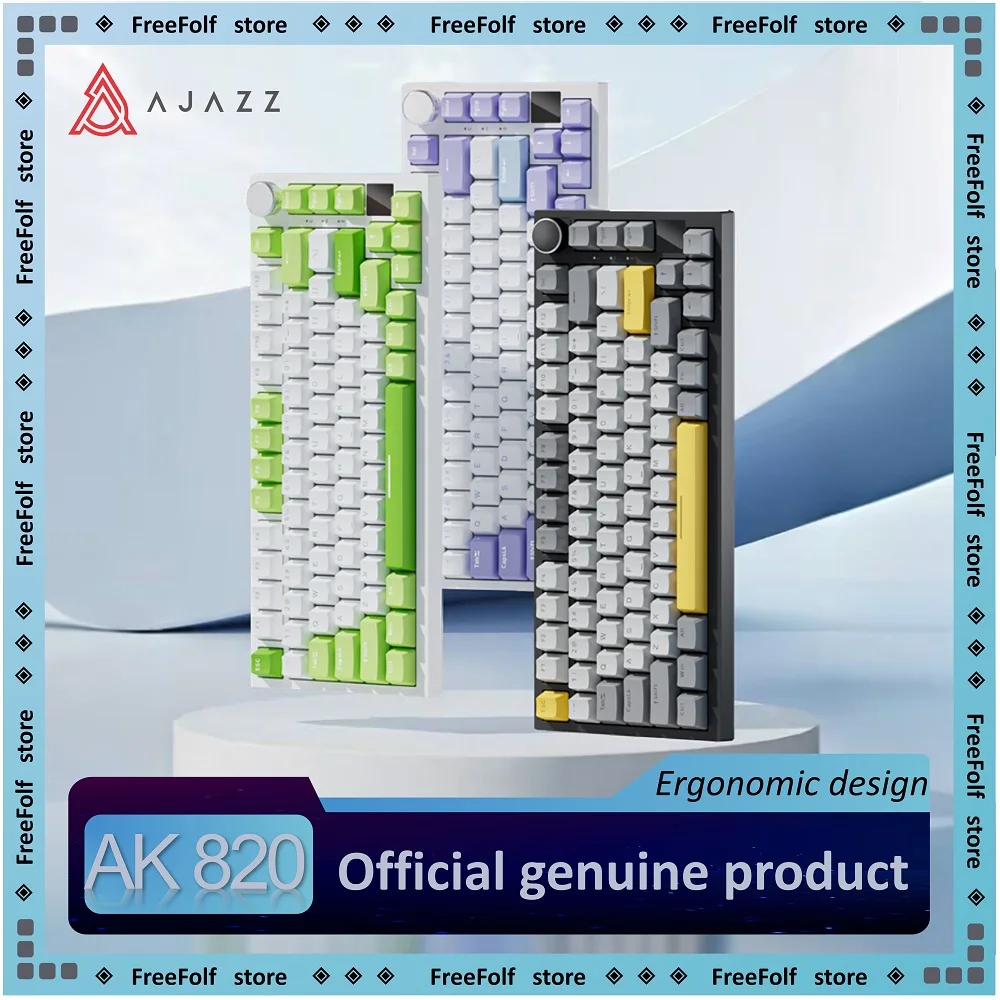
Ajazz AK820 Pro Review: Is This $33 Gaming Keyboard a Smart Buy?

Ajazz AK820 Pro Review: Is This $33 Gaming Keyboard a Smart Buy?
★★★★★ (96.2%/5)

Tired of Budget Keyboards Feeling Cheap? Meet Your Game Changer.

Ever wish you could experience the satisfying gasket-mounted thock of a premium mechanical keyboard without emptying your wallet? Or perhaps you’re a gamer who needs reliable, lag-free performance but also the flexibility of wireless for productivity? The struggle is real, with many customizable mechanical keyboards costing a small fortune.

Enter the Ajazz AK820/AK820Pro Gaming Mechanical Keyboard. With a name that promises a lot – Bluetooth 5.1, Wireless, C-Wired, Hot Swapping, Gasket, and a Knob – all for an astounding price of just ~$33.76. Could this budget warrior truly deliver a premium experience without the premium price tag?

Why the Ajazz AK820/AK820Pro Is a Steal

It’s rare to find a mechanical keyboard ticking so many enthusiast-grade boxes for under $40. The Ajazz AK820/AK820Pro isn’t just a basic keyboard; it boasts features typically reserved for keyboards three, four, or even five times its price. With a stellar 96.2%/5 stars rating, it’s clear users are incredibly impressed.

Ajazz AK820 Pro Review: Is This $33 Gaming Keyboard a Smart Buy? Detail
A closer look at the details

Imagine getting a board with a gasket mount for a softer, more pleasing typing feel, hot-swappable switches allowing you to change them without soldering, and versatile tri-mode connectivity (Bluetooth, 2.4GHz wireless, and wired USB-C) – all for less than the cost of a couple of high-end switch sets! This isn’t just value for money; it’s a genuine disruptor in the budget keyboard space.

Key Features Deep Dive

Ultimate Connectivity: Bluetooth 5.1, Wireless & USB-C Wired

Forget being tied down to a single connection method. The AK820/AK820Pro offers tri-mode connectivity. This means you can effortlessly switch between a low-latency 2.4GHz wireless connection for critical gaming sessions, Bluetooth 5.1 for seamless pairing with up to three devices (like your tablet, phone, or laptop), and a reliable USB-C wired connection for charging or when absolute stability is paramount. This versatility makes it perfect for gamers, multi-device users, and anyone who values a clutter-free desk.

Premium Typing Experience: Gasket Mount & Hot-Swappable Switches

The standout feature here is the gasket-mounted design. This advanced mounting style isolates the plate from the PCB, resulting in a softer, more cushioned keystroke feel and a significantly improved acoustic profile – often described as a satisfying ‘thock.’ Paired with hot-swappable switch sockets, you have complete freedom to experiment with different switch types (linear, tactile, clicky) without needing to solder. Want to try new Gateron, Cherry, or Akko switches? Just pull them out and pop new ones in!

Ergonomic Control & Customization: Integrated Knob

A dedicated multifunction knob isn’t just aesthetically pleasing; it’s incredibly practical. Easily control volume, media playback, or even customize its function through software (depending on the specific model and firmware). This tactile control adds a layer of convenience often missing on budget keyboards. Combined with its hot-swappable nature, this keyboard truly empowers you to create a customized typing and gaming experience tailored to your preferences.

Who Is This For?

The Ajazz AK820/AK820Pro is an exceptional choice for several types of users:

  • Budget-Conscious Gamers: Who need reliable performance and responsive switches without spending hundreds.
  • Custom Keyboard Beginners: An ideal entry point into the world of hot-swapping and gasket mounts.
  • Students & Home Office Users: Who appreciate versatile connectivity and a comfortable typing experience for long hours.
  • Tech Enthusiasts: Looking for incredible value and a feature-rich secondary or travel keyboard.

✅ Pros

  • Unbeatable Price: Feature set for ~$33.76 is incredible value.
  • Tri-Mode Connectivity: Bluetooth 5.1, 2.4G Wireless, and USB-C Wired options.
  • Gasket Mount: Premium typing feel and acoustics.
  • Hot-Swappable Switches: Customize your switches without soldering.
  • Dedicated Control Knob: Convenient for volume and media control.
  • High User Rating: 96.2%/5 stars speaks volumes about user satisfaction.
  • Customization Potential: Great platform for mods and personalization.

🔻 Cons

  • Budget Components: While impressive, don’t expect the same premium materials as a $200+ keyboard.
  • Software Experience: Companion software might be basic compared to major brands (if available).
  • Stock Switches/Keycaps: May eventually desire an upgrade to higher-quality options for enthusiasts.
  • Availability: Specific switch options or colorways might vary by retailer.

Final Verdict

The Ajazz AK820/AK820Pro Gaming Mechanical Keyboard isn’t just a budget keyboard; it’s a revelation. For approximately $33.76, you’re getting a feature set that often costs significantly more. While it won’t dethrone a $300 custom build in terms of sheer build quality or high-end components, it delivers an unbelievably satisfying and customizable experience that punches way above its weight class.

If you’re looking for an affordable entry into the world of custom mechanical keyboards, a versatile daily driver, or a fantastic gift for a gamer, the Ajazz AK820/AK820Pro is an absolute no-brainer. It’s a testament to how much value you can get without breaking the bank.

Frequently Asked Questions

What kind of switches does the Ajazz AK820/AK820Pro come with?

The keyboard typically comes with Ajazz’s own factory-lubed switches (e.g., Ajazz Red, Ajazz Brown), but since it’s hot-swappable, you can easily replace them with any 3-pin or 5-pin MX-style switches of your choice without soldering.

Is the Ajazz AK820/AK820Pro compatible with Mac?

Yes, the keyboard generally supports multi-system compatibility, including Windows, macOS, and Linux. The Bluetooth and 2.4G wireless modes ensure broad device support, and specific key bindings for Mac are often accessible via function keys.

How long does the battery last in wireless mode?

While specific battery life can vary based on usage (especially RGB lighting), most Ajazz keyboards in this range offer decent battery performance. For typical use, you can expect several days to a week on a single charge when using Bluetooth or 2.4G wireless, with RGB off or at low brightness. It can always be used wired while charging.

Can I change the keycaps on this keyboard?

Absolutely! The Ajazz AK820/AK820Pro uses standard MX-style stems, which means it’s compatible with a vast majority of aftermarket keycap sets. This allows for extensive visual customization to match your setup or personal style.


Check Best Price ➔

*Price may vary based on promotions.

Posted on

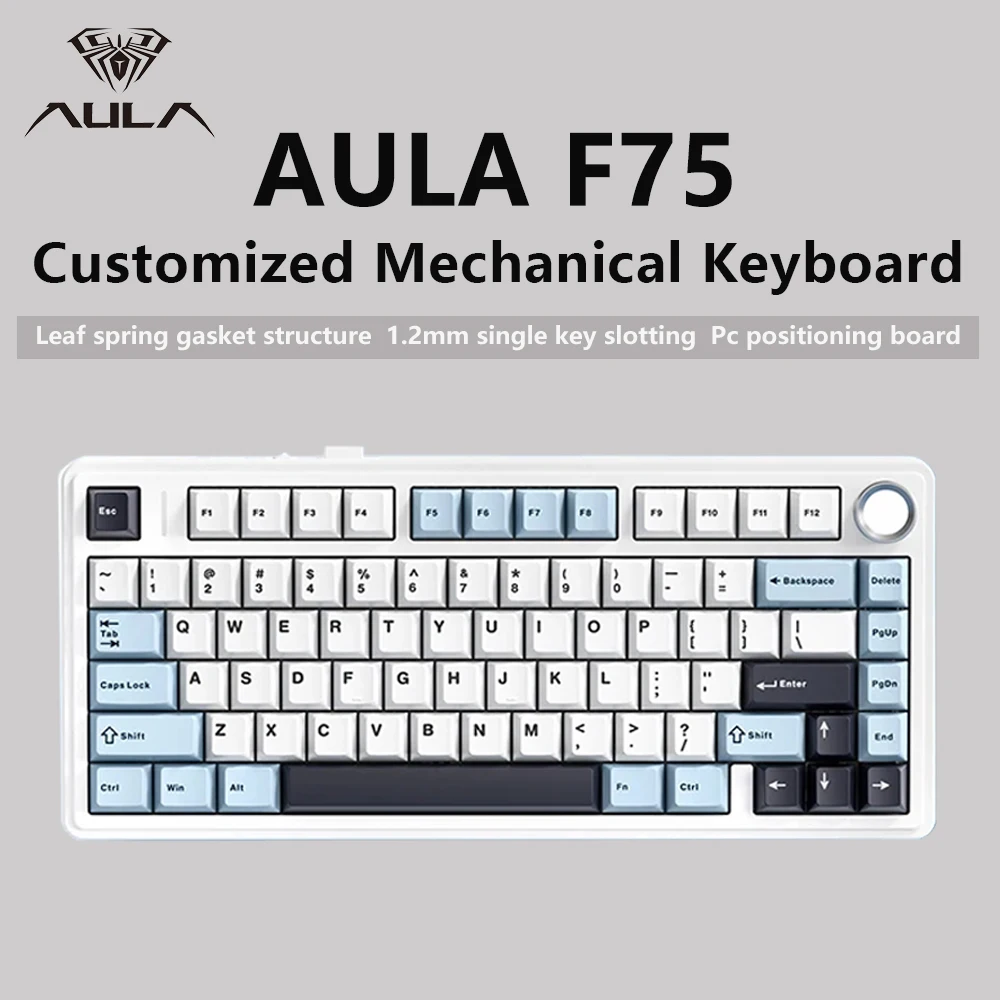
AULA F75 Gaming Mechanical Keyboard: Is This $54 Steal Worth It?

AULA F75 Gaming Mechanical Keyboard: Is This $54 Steal Worth It?
★★★★★ (97.3%/5)

Introduction

Do you spend hours at your desk, typing away or immersed in your favorite games, only to feel dissatisfied with your keyboard’s performance or uncomfortable typing experience? Many believe a premium mechanical keyboard comes with a hefty price tag, pushing that dream out of reach. But what if you could elevate your desktop experience significantly without breaking the bank?

Why It’s a Steal

Enter the AULA F75 Gaming Mechanical Keyboard. For just ~$54.92, this isn’t just another budget peripheral; it’s a serious contender vying for a spot on your desk. Boasting a stellar 97.3% rating, it offers features typically found in keyboards costing two or three times as much, making it an undeniable value proposition.

AULA F75 Gaming Mechanical Keyboard: Is This $54 Steal Worth It? Detail
A closer look at the details

In a market saturated with mediocre options, the AULA F75 stands out by delivering a high-quality typing and gaming experience at an unbelievably accessible price point. Its 75% layout is not only stylish but also saves valuable desk space, helping you maintain a clutter-free setup. If you’re looking to optimize your workstation, you might also find inspiration in exploring whether a simple desk organizer can transform your workspace. This keyboard won’t beat a $1000 flagship, but for $54.92, it offers incredible value that redefines expectations for budget mechanical keyboards.

Key Features Deep Dive

Tri-Mode Connectivity: Freedom to Connect

No longer are you tethered to a single connection type. The AULA F75 offers 2.4G wireless, Bluetooth, and wired (USB-C) connectivity. This means seamless switching between your gaming PC, laptop, tablet, or even smartphone. Game lag-free with 2.4G wireless, work from anywhere with Bluetooth, or ensure a rock-solid connection during intense gaming sessions with the wired option. It’s the ultimate versatility for any setup.

Gasket Structure: A Premium Typing Feel

One of the most surprising features at this price point is the gasket mount structure. Unlike traditional tray mount keyboards, a gasket mount uses flexible materials to suspend the plate, resulting in a softer, more cushioned typing feel and significantly improved acoustics. This eliminates harsh bottom-out sounds and reduces typing fatigue, making long typing sessions or gaming marathons far more enjoyable and immersive.

75% Layout & Vibrant RGB: Compact Style, Big Personality

The 75% layout strikes a perfect balance, retaining essential function rows and arrow keys while ditching the space-hogging numpad. This compact design frees up valuable desk real estate, making it ideal for smaller setups or those who prefer more mouse room. Coupled with customizable RGB backlighting, you can personalize your setup with a spectrum of colors and effects, transforming your desk into a dynamic visual experience that matches your mood or game.

Who Is This For?

The AULA F75 is perfect for budget-conscious gamers who demand performance without the premium price tag. It’s also an excellent choice for students and home office users seeking a comfortable, efficient, and aesthetically pleasing typing experience. Mechanical keyboard newcomers will find it a fantastic entry point into the hobby, offering advanced features at a forgiving cost.

✅ Pros

  • Exceptional value for money (~$54.92)
  • Versatile tri-mode connectivity (2.4G, Bluetooth, Wired)
  • Premium gasket mount structure for enhanced typing feel
  • Compact and functional 75% layout
  • Vibrant customizable RGB lighting
  • High user satisfaction (97.3% rating)

🔻 Cons

  • Stock switches might not satisfy high-end enthusiasts
  • OEM profile keycaps may not appeal to all users
  • Software customization could be limited compared to premium brands
  • Not a full-size layout (no dedicated numpad)

Final Verdict

The AULA F75 redefines what’s possible in the budget mechanical keyboard segment. With its tri-mode connectivity, impressive gasket structure, and eye-catching RGB in a compact 75% layout, it delivers a user experience far beyond its ~$54.92 price tag. If you’re looking for a feature-rich, high-performance mechanical keyboard that won’t break the bank, the AULA F75 is an undeniable winner and a fantastic investment for any desk setup.

Frequently Asked Questions

Q: What exactly does “gasket structure” mean for a keyboard?

A: A gasket structure involves the keyboard plate being mounted with dampening material (gaskets) between it and the top/bottom case. This isolates the plate, creating a softer, more flexible typing feel and improved acoustics by preventing harsh vibrations, leading to a quieter and more pleasant sound profile.

Q: Is the AULA F75 good for competitive gaming?

A: Absolutely. With its low-latency 2.4G wireless and wired USB-C connectivity, the AULA F75 provides reliable and responsive performance crucial for gaming. The mechanical switches offer tactile feedback, and the compact 75% layout gives you more space for mouse movements, making it a solid choice for competitive play.

Q: Can I customize the RGB lighting on the AULA F75?

A: Yes, the AULA F75 features customizable RGB backlighting. You can typically cycle through various lighting effects and colors directly on the keyboard using key combinations, and often further customize patterns and brightness via dedicated software (though software features may vary).

Q: What’s the expected battery life in wireless mode?

A: While specific battery life can vary based on usage (especially RGB brightness), the AULA F75 is designed for extended wireless use. You can generally expect several days to a week of casual to moderate use on a single charge with RGB active, and even longer with RGB off. It also supports charging while wired, so you’re never truly out of power.


Check Best Price ➔

*Price may vary based on promotions.

Posted on

EWEADN Typewriter Keyboard Review: Is This ~$20 Gaming Keyboard a Bargain?

EWEADN Typewriter Keyboard Review: Is This ~$20 Gaming Keyboard a Bargain?
★★★★★ (92.0%/5)

Tired of Bland Keyboards? Add a Dash of Retro Style to Your Desk!

Does your current keyboard feel uninspired? Are you craving something that stands out, offers a satisfying typing experience, and doesn’t break the bank? We’ve all been there – staring at a sea of generic black rectangles, wishing for a bit more personality on our desks. Enter the **EWEADN Typewriter Gaming Keyboard**, a truly unique peripheral that promises to infuse your workspace with retro charm and gaming flair without costing a fortune.

Why This $20.26 Keyboard is a Steal

In a market flooded with expensive gaming gear, the EWEADN Typewriter Gaming Keyboard arrives with a refreshingly low price tag of just **~$20.26**. But don’t let the affordability fool you; it boasts an impressive 92.0%/5-star rating, suggesting it delivers far beyond its cost. At this price point, you’re not just buying a functional keyboard; you’re investing in a conversation starter, a piece of tech that blends vintage aesthetics with modern utility.

EWEADN Typewriter Keyboard Review: Is This ~$20 Gaming Keyboard a Bargain? Detail
A closer look at the details

It’s a prime example of how incredible value can be found in unexpected places. Just like we recently explored whether a sub-$6 smartwatch could be a smart buy, this keyboard prompts a similar question: can such a budget-friendly item truly offer a compelling experience? For just over twenty dollars, it won’t challenge a $150 mechanical masterpiece, but it certainly offers a fantastic entry point into gaming keyboards with a distinctive style.

Key Features Deep Dive

Retro Punk Round Keycaps: Style That Pops

The standout feature of the EWEADN keyboard is undoubtedly its **retro punk round keycaps**. Inspired by vintage typewriters, these sculpted keycaps not only look incredibly cool but also offer a distinct tactile feel. Typing on them is a unique experience, a delightful departure from standard flat keys, adding a satisfying click (or thock, depending on your typing style) that enhances both gaming and productivity sessions. It’s a bold aesthetic choice that instantly elevates your setup from mundane to memorable.

Vibrant Blue Backlight: Game On, Day or Night

Illuminating your desk is the keyboard’s **vibrant blue backlight**. This isn’t just for show; it’s highly practical, ensuring visibility of keys in low-light conditions, perfect for late-night gaming marathons or early morning work sessions. The consistent blue glow adds a cool, futuristic ambiance that complements the retro keycaps surprisingly well, creating a unique visual contrast that’s both appealing and functional.

104 Keys & USB Wired: Reliable Performance

Boasting a **full 104-key layout**, this keyboard ensures you have access to every function, from your number pad to dedicated media controls (often accessible via function keys). The **USB wired connection** offers unparalleled reliability and responsiveness, crucial for gaming where every millisecond counts. You’ll never have to worry about battery life or wireless interference, guaranteeing a consistent, lag-free experience straight out of the box for your Windows PC or laptop.

Who Is This For?

  • **Budget Gamers**: Looking for an affordable keyboard that still offers a cool aesthetic and solid performance.
  • **Students**: Need a reliable, full-featured keyboard for studies and occasional gaming without breaking their budget.
  • **Style Enthusiasts**: Anyone who wants to inject personality and a unique retro-punk vibe into their workspace.
  • **Casual Typists**: Appreciates the distinct feel of typewriter-style keycaps for everyday use.

✅ Pros

  • **Incredibly Affordable**: Excellent value for money at ~$20.26.
  • **Unique Retro Punk Design**: Stands out with round, typewriter-style keycaps.
  • **Cool Blue Backlight**: Enhances visibility and gaming atmosphere.
  • **Full 104-Key Layout**: Provides complete functionality.
  • **High User Rating**: 92% satisfaction suggests reliable performance.

🔻 Cons

  • **Wired Only**: Lacks wireless freedom (but ensures reliability).
  • **Single Backlight Color**: Blue only, no RGB customization.
  • **Not Mechanical**: Likely membrane, so it won’t offer the distinct feel of true mechanical switches.
  • **Aesthetic Might Not Be for Everyone**: The retro punk look is distinctive.

Final Verdict: A Budget Keyboard with Bold Personality

The EWEADN Typewriter Gaming Keyboard is a fantastic option for anyone looking to add some personality to their setup without spending a fortune. For just ~$20.26, you get a full-sized keyboard with a striking retro-punk aesthetic, a cool blue backlight, and the reliable performance of a wired connection. While it won’t rival high-end mechanical keyboards in terms of switch feel or customization, its unique design and solid functionality at this price point make it an **unbeatable deal** for casual gamers, students, and anyone who appreciates a bit of flair.

Frequently Asked Questions

Is the EWEADN keyboard mechanical?

Given its price point, it is highly likely a membrane keyboard, not a true mechanical one. However, the round keycaps offer a unique typing feel that differentiates it from standard membrane keyboards.

Can I change the backlight color?

No, the product description specifies “Blue Backlight,” indicating it has a single, fixed blue illumination, not customizable RGB.

Is this keyboard compatible with Mac or Linux?

The product is specified “for Windows PC/Laptop.” While it might function with Mac or Linux as a standard USB keyboard, full functionality (like specific media keys or software customization) cannot be guaranteed without dedicated drivers or support.

Is it good for serious gaming?

For casual to moderate gaming, its reliable wired connection and full layout are perfectly adequate. However, competitive pro gamers might prefer mechanical keyboards with specific switch types, anti-ghosting, and N-key rollover features often found in higher-priced options.


Check Best Price ➔

*Price may vary based on promotions.

Posted on

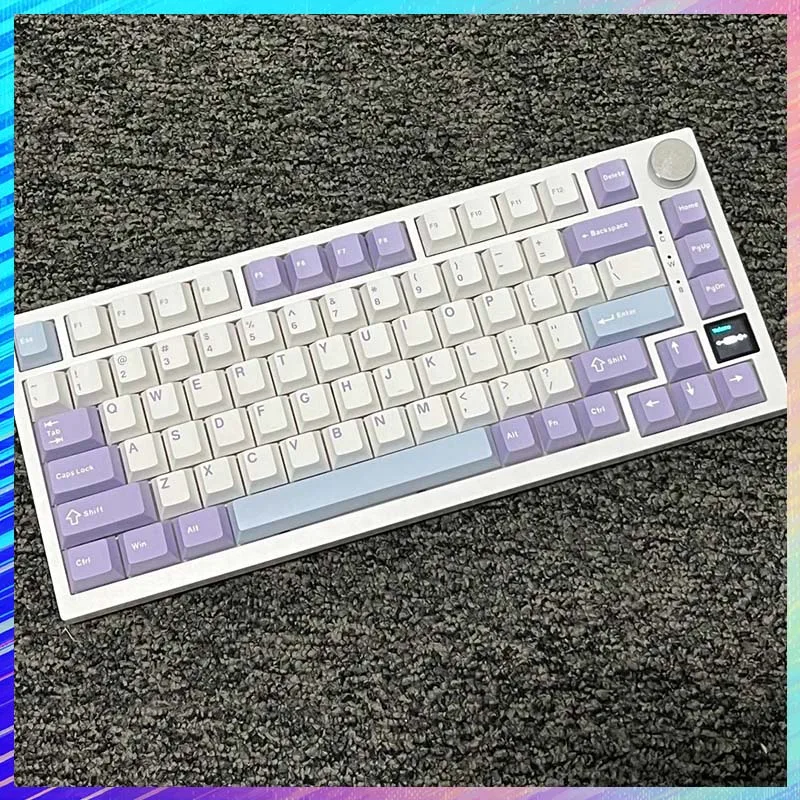
Is the Ajazz Ak820 Tri-Mode Gasket Keyboard Worth $35.27?

Is the Ajazz Ak820 Tri-Mode Gasket Keyboard Worth $35.27?
★★★★★ (98.0%/5)

Tired of Expensive Keyboards? Meet the Ajazz Ak820!

Are you stuck between a rock and a hard place? On one side, you have flimsy membrane keyboards that offer a dismal typing experience. On the other, high-end mechanical keyboards with price tags that can make your wallet weep. What if we told you there’s a keyboard that bridges this gap, offering premium features without breaking the bank? Enter the Ajazz Ak820 RGB Tri-Mode Gaming Mechanical Keyboard.

For just ~$35.27, this 82-key wonder promises a customizable, wireless, and satisfying typing experience. With an impressive 98.0%/5-star rating, it’s clear many users are already convinced. But is it too good to be true?

Why It’s a Steal at ~$35.27

In a market where many decent mechanical keyboards start at $80-$100, the Ajazz Ak820 defies expectations with its astonishing price point. For less than the cost of a high-end mouse, you’re getting a feature-packed keyboard that delivers way above its weight class. It won’t outperform a $300+ custom build, but for its price, it’s an absolute game-changer for budget-conscious gamers and typists.

Is the Ajazz Ak820 Tri-Mode Gasket Keyboard Worth $35.27? Detail
A closer look at the details

The value proposition here is simply incredible. Finding a keyboard with Tri-Mode connectivity, RGB lighting, and especially a custom gasket mount at this price is almost unheard of. It’s akin to finding a precision screwdriver set for less than $5 that handles all your tech repair needs – unexpected quality for minimal investment.

Key Features Deep Dive

RGB Lighting for Personalized Aesthetics

The "RGB" in its name isn’t just for show; it’s about personalization. With vibrant RGB backlighting, you can customize your keyboard’s look to match your gaming setup, mood, or simply create a stunning visual display. Beyond aesthetics, RGB can also help illuminate keys in dim environments, making late-night gaming or working sessions more comfortable.

Tri-Mode Connectivity: Unrivaled Versatility

One of the Ak820’s most compelling features is its Tri-Mode connectivity. This means you’re not limited to just one way of connecting: you get Bluetooth, 2.4GHz wireless, and a wired USB-C option. Imagine seamlessly switching between your gaming PC via 2.4GHz, your work laptop via Bluetooth, and charging/using it wired on the go. This level of flexibility is typically found on much more expensive models, making the Ak820 a true standout.

Custom Gasket Mount for a Premium Typing Feel

The "Custom Gasket" design is where the Ajazz Ak820 truly shines and elevates itself beyond typical budget boards. A gasket-mounted keyboard uses soft materials (gaskets) to suspend the plate within the case, resulting in a more flexible, cushioned typing experience. This significantly improves the sound profile and feel, absorbing vibrations and providing a satisfying, softer bottom-out. It’s a feature synonymous with high-end custom keyboards, now accessible at an incredible budget price.

Who Is This For?

The Ajazz Ak820 is perfect for:

  • Budget Gamers: Looking for a responsive, customizable mechanical keyboard without spending a fortune.
  • Students: Needing a versatile keyboard for both study and leisure across multiple devices.
  • Home Office Users: Wanting a comfortable, aesthetically pleasing, and efficient keyboard for daily tasks.
  • Mechanical Keyboard Enthusiasts on a Budget: Curious about the gasket mount experience without the hefty investment.
  • Anyone Seeking Value: If you appreciate getting premium features at an unbelievable price.

✅ Pros

  • Incredible Value: Feature-rich at ~$35.27.
  • Tri-Mode Connectivity: Bluetooth, 2.4GHz, Wired USB-C.
  • Gasket Mount Design: Premium typing feel and sound.
  • Vibrant RGB Lighting: Customizable aesthetics.
  • High User Rating: 98.0%/5 stars indicates strong satisfaction.
  • Compact 82-key layout saves desk space.

🔻 Cons

  • Plastic build may not feel as premium as metal cases.
  • Stock keycaps/switches might not satisfy high-end enthusiasts (but are good for the price).
  • Software for customization might be basic or require learning.

Final Verdict: Is the Ajazz Ak820 Worth It?

Absolutely. The Ajazz Ak820 RGB Tri-Mode Gaming Mechanical Keyboard is an undeniable steal for ~$35.27. It packs an incredible array of features—Tri-Mode wireless, vibrant RGB, and a sought-after gasket mount design—into a package that costs less than many basic membrane keyboards. While it won’t replace a meticulously crafted custom keyboard, it offers a remarkably close experience for a fraction of the price. For anyone looking to upgrade their typing experience, enter the mechanical keyboard world, or simply find an excellent value, the Ak820 is an easy recommendation. It’s a true budget beast.

Frequently Asked Questions

What kind of switches does the Ajazz Ak820 use?

The Ajazz Ak820 typically comes with Ajazz proprietary linear switches, often referred to as ‘Moon Switches’ or similar, which offer a smooth and responsive typing experience. Some versions may also be hot-swappable, allowing you to easily change out switches to your preference without soldering.

How long does the battery last on wireless mode?

Battery life can vary significantly depending on usage, especially with RGB lighting turned on. With RGB off, you can expect several days to a week of typical use. With RGB lighting on its brightest setting, the battery life will be shorter, likely needing a recharge every 1-3 days for heavy use. The Tri-Mode feature ensures you can always plug it in and use it wired if the battery runs low.

Is the gasket mount truly effective at this price point?

Yes, while it might not replicate the exact feel of a $500+ custom gasket board, the Ajazz Ak820’s implementation is remarkably effective for its price. Users report a noticeably softer, more muted, and less harsh typing experience compared to traditional tray-mount keyboards. It significantly contributes to the premium feel and acoustics, making it a standout feature for a budget board.

Can I customize the RGB lighting and key functions?

Yes, the Ajazz Ak820 typically comes with downloadable software that allows for extensive customization of its RGB lighting effects, key remapping, and macro creation. You can personalize the keyboard to your exact preferences, from dynamic lighting patterns to specific key functions for gaming or productivity.


Check Best Price ➔

*Price may vary based on promotions.
Posted on

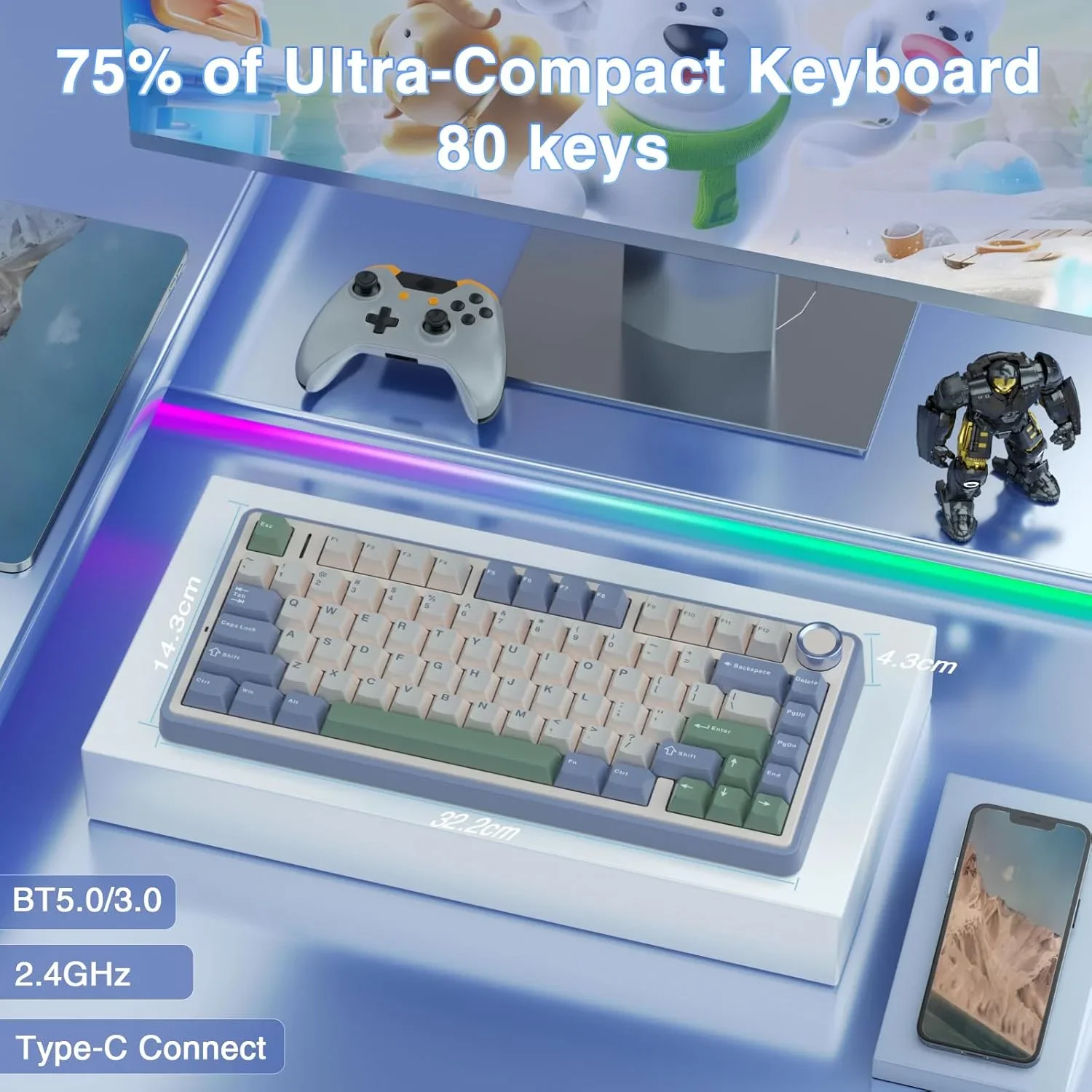
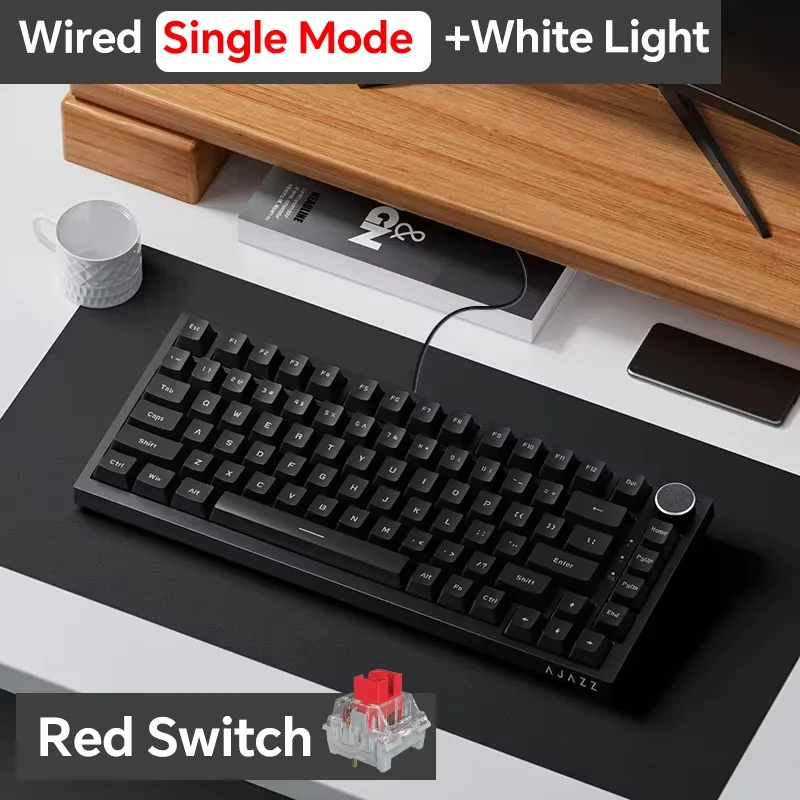
AULA F75 Review: Is This ~$54 Gasket Mechanical Keyboard Worth It?

AULA F75 Review: Is This ~$54 Gasket Mechanical Keyboard Worth It?
★★★★★ (98.0%/5)

Tired of Muted Clicks? Unleash Your Typing Potential for Under $55!

In a world where premium mechanical keyboards can easily cost hundreds, finding a truly exceptional one that doesn’t break the bank feels like striking gold. If you’ve been yearning for that satisfying tactile feedback, customizable RGB, and a clutter-free desk without emptying your wallet, then listen up. The AULA F75 is making waves, promising a high-end experience at an astonishingly low price. But at just ~$54.31, can it really deliver?

Why the AULA F75 is an Unbeatable Steal at ~$54.31

Let’s be blunt: a mechanical keyboard with triple-mode connectivity (2.4G wireless, Bluetooth, and wired), full RGB, a compact 75% layout, and a premium gasket structure for around fifty bucks sounds almost too good to be true. Yet, the AULA F75 boasts a stellar 98.0%/5-star rating, suggesting it’s not just hype. This isn’t just another budget keyboard; it’s a testament to how far component quality and innovation have trickled down to accessible price points. It makes you wonder how much value you can get for your money, much like when we explored if a $2.50 Transformer emblem could truly transform your ride.

AULA F75 Review: Is This ~$54 Gasket Mechanical Keyboard Worth It? Detail
A closer look at the details

For roughly the cost of a couple of takeout meals, you’re getting a keyboard packed with features that were once exclusive to far more expensive models. It won’t outperform a $300 custom build, but for its price, the AULA F75 delivers an incredible performance-to-cost ratio, challenging the notion that quality always comes with a hefty price tag.

Key Features That Make the AULA F75 Stand Out

Seamless Triple-Mode Connectivity: Freedom to Connect

The days of being tethered to your desk are over. The AULA F75 offers **2.4G wireless, Bluetooth, and wired USB-C connectivity**. This means you can effortlessly switch between your gaming PC (for low-latency wireless performance), your tablet or work laptop (via Bluetooth), or simply plug it in to charge while you game. This versatility makes it an ideal companion for any setup, simplifying your workspace and enhancing convenience.

Premium Gasket Structure: A Typing Experience Redefined

One of the most surprising features at this price point is the **gasket mounted design**. This sophisticated mounting style incorporates soft dampening material between the plate and the PCB, resulting in a significantly more flexible, softer typing feel and improved acoustics. Say goodbye to harsh bottom-outs and hello to a satisfying, muted thock. It’s a feature usually reserved for enthusiast-grade keyboards, providing an incredibly comfortable and premium typing experience.

Compact 75% Layout with Vibrant RGB: Style Meets Efficiency

The **75% layout** strikes a perfect balance between compactness and functionality. You get all the essential keys, including a dedicated function row and arrow keys, without the bulk of a full-size or TKL board. This frees up valuable desk space for mouse movement, crucial for gamers. Complementing this efficiency is the **dynamic RGB lighting**, allowing you to customize your setup with a spectrum of colors and effects. Not only does it look fantastic, but it also enhances visibility in dim lighting, adding to both aesthetics and practicality.

Who Will Love the AULA F75?

This keyboard is a dream come true for **budget-conscious gamers** who demand performance without compromise. It’s also perfect for **students** and **home office users** looking to upgrade their typing experience significantly. If you appreciate a clean, minimalist desk setup thanks to its compact 75% layout and wireless capabilities, or if you’re a mechanical keyboard enthusiast eager to experience a gasket mount without the custom build price, the AULA F75 is undoubtedly for you.

✅ Pros

  • Exceptional Value: Premium features like gasket mount and triple-mode connectivity at an unheard-of price.
  • Versatile Connectivity: Seamless switching between 2.4G wireless, Bluetooth, and wired modes.
  • Superior Typing Feel: Gasket structure provides a soft, satisfying, and acoustic typing experience.
  • Compact & Ergonomic: 75% layout saves desk space while retaining essential keys.
  • Vibrant RGB: Customizable backlighting adds style and functionality.
  • High User Rating: 98.0%/5 stars indicates strong user satisfaction.

🔻 Cons

  • Likely Non-Hot-Swappable: At this price, switches are typically soldered, limiting easy customization (not explicitly stated, but common).
  • OEM Keycap Profile: While standard, some enthusiasts might prefer other profiles.
  • Build Materials: Expect mostly plastic construction, though likely sturdy for the price.
  • Basic Software: Customization software might be rudimentary compared to high-end brands.

Final Verdict: A Budget Marvel That Defies Expectations

The AULA F75 is more than just a budget mechanical keyboard; it’s a statement piece that proves you don’t need to spend a fortune to get a genuinely premium typing and gaming experience. With its triple-mode connectivity, sophisticated gasket-mounted design, compact 75% layout, and dazzling RGB, it offers a feature set typically found in keyboards costing two or three times as much. For ~$54.31, it’s an undeniable recommendation for anyone looking to upgrade their setup without compromise. It truly redefines what’s possible at this price point. It makes you reconsider value propositions, much like our analysis on whether a multifunction work desk is worth its $1247 price tag.

Frequently Asked Questions

What kind of mechanical switches does the AULA F75 use?

The AULA F75 typically comes with custom AULA switches, often linear or tactile, designed to provide a smooth and responsive typing experience. While the specific switch type (e.g., Red, Brown equivalents) might vary by region or batch, they are generally optimized for gaming and general use.

Is the AULA F75 keyboard hot-swappable?

While the product description doesn’t explicitly state hot-swappability, most keyboards in this budget range are generally not hot-swappable, meaning the switches are soldered to the PCB. This limits easy switch customization, but for many users, the stock switches offer excellent performance.

Can I customize the RGB lighting on the AULA F75?

Yes, the AULA F75 features full RGB lighting with various pre-programmed effects and colors. You can typically switch between these effects directly on the keyboard using key combinations, and some models may offer basic software for deeper customization.

Is the AULA F75 compatible with Mac and Windows operating systems?

The AULA F75 is generally designed for broad compatibility and should work seamlessly with both Windows PCs and macOS devices, especially in its wired and Bluetooth modes. Specific function key mappings might differ slightly on macOS, but basic functionality will be present.


Check Best Price ➔

*Price may vary based on promotions.

Posted on

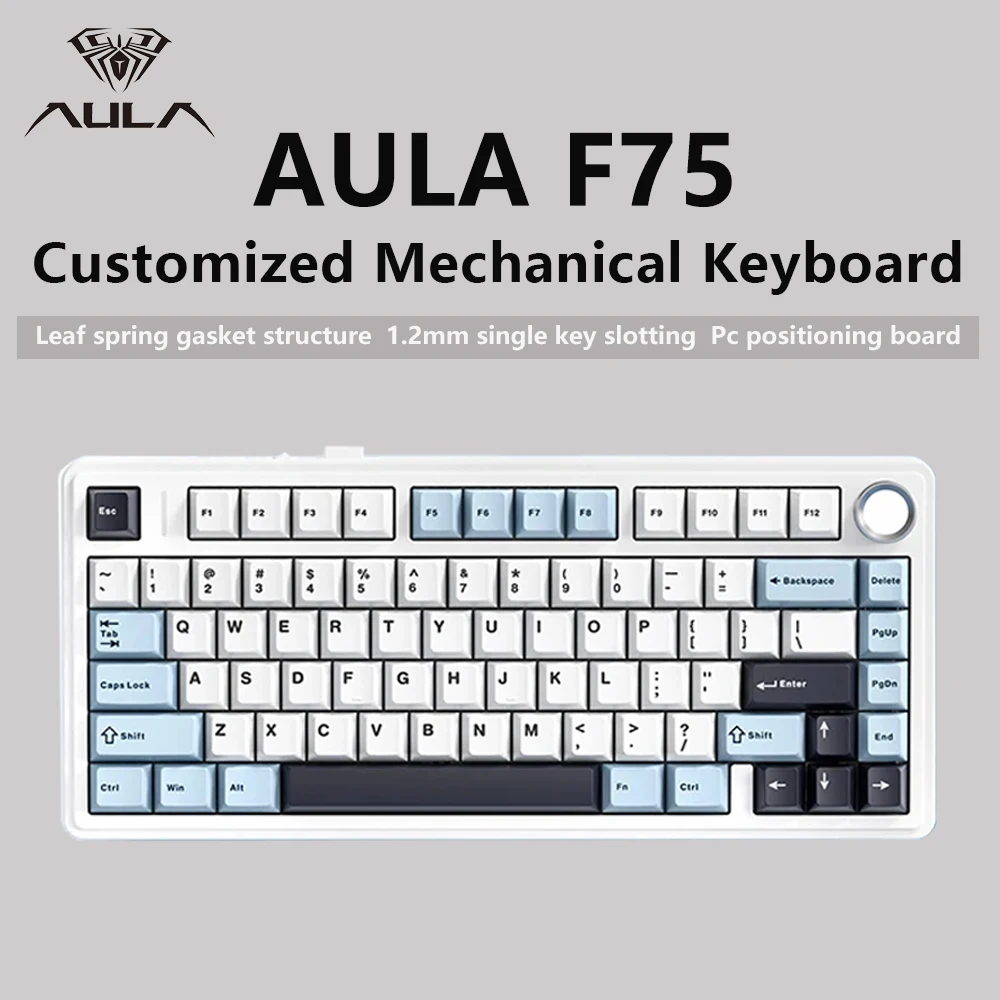
AJAZZ AK820 Review: Is This $40 Mechanical Keyboard a Smart Buy?

AJAZZ AK820 Review: Is This $40 Mechanical Keyboard a Smart Buy?
★★★★★ (98.0%/5)

Tired of Mushy Keys and Tangled Wires? Your Desk Deserves Better!

Let’s face it: a good keyboard can transform your entire computing experience. Whether you’re a gamer needing lightning-fast responses, a writer craving satisfying key presses, or just someone who wants a clean, clutter-free desk, a standard membrane keyboard often falls short. Premium mechanical keyboards, however, usually come with a premium price tag that makes many hesitate. But what if you could get a feature-packed mechanical keyboard for a price that feels almost too good to be true?

Enter the AJAZZ AK820 Wireless Gaming Mechanical Keyboard. With its promise of hot-swappable switches, versatile connectivity, and a compact 75% layout, all for an astonishing ~$40.84, this keyboard is making waves. Does it live up to the hype? Let’s dive in.

Why the AJAZZ AK820 is a Steal at ~$40.84

At a price point typically reserved for basic office peripherals, the AJAZZ AK820 delivers an impressive array of features that usually cost significantly more. For around the cost of a couple of takeout meals, you’re getting a fully wireless mechanical keyboard with modern amenities. It’s a game-changer for anyone looking to upgrade their setup without emptying their wallet. While it won’t outshine a custom build costing hundreds, for $40.84, it offers incredible value that’s hard to beat, earning its stellar 98.0% / 5-star rating.

AJAZZ AK820 Review: Is This $40 Mechanical Keyboard a Smart Buy? Detail
A closer look at the details

This isn’t just a basic keyboard; it’s an investment in a better daily interaction with your computer. Thinking about other smart upgrades for your personal space? Just like how you can significantly upgrade your bathroom for around $40, the AJAZZ AK820 offers a similar leap in your desk experience without breaking the bank.

Key Features Deep Dive

Hot-Swappable Switches: Your Keyboard, Your Rules

The **hot-swappable switch design** is perhaps the most exciting feature for enthusiasts and beginners alike. This means you can effortlessly pull out the existing switches and replace them with almost any 3-pin or 5-pin mechanical switch without needing to solder. The benefit? **Unparalleled customization and longevity.** Want a clicky sound for typing and linear switches for gaming? No problem. Did a switch wear out? Replace just that one switch, not the whole keyboard. This feature alone drastically extends the keyboard’s lifespan and allows you to tailor the typing feel precisely to your preference, a luxury usually found on much more expensive boards.

Three-Mode Connectivity: Ultimate Versatility

The **three-mode connectivity** makes the AJAZZ AK820 incredibly adaptable to any setup. You get:

  • **2.4GHz Wireless:** For a low-latency, stable connection ideal for gaming, eliminating cable clutter.
  • **Bluetooth:** Connect seamlessly to multiple devices like your laptop, tablet, or even smartphone, switching between them with ease. Perfect for productivity on the go.
  • **Wired (USB-C):** For a rock-solid connection during critical gaming sessions or when you need to charge the keyboard.

This versatility means the keyboard can serve multiple roles, from a dedicated gaming peripheral to a portable productivity tool, ensuring you’re always connected how you need to be.

75% Layout: Compact Powerhouse

The **75% layout** strikes a perfect balance between compactness and functionality. It shaves off the numpad and some less-frequently used keys found on full-size boards, saving valuable desk space, but retains the essential F-row keys, arrow cluster, and navigation keys (like Home, End, PgUp, PgDn). The benefit here is a **smaller footprint without sacrificing core functionality**, making it ideal for smaller desks, minimalist setups, or users who prioritize ergonomics and mouse space without wanting to learn a new keybind system of a 60% board.

Who Is This Keyboard For?

  • **Budget-Conscious Gamers:** Looking for a responsive mechanical experience without the hefty price tag.
  • **Students & Home Office Users:** Who need a reliable, comfortable keyboard for typing and general use, especially with its multi-device connectivity.
  • **Mechanical Keyboard Enthusiasts (on a budget):** Who want a solid base for modding and customizing switches without breaking the bank.
  • **Minimalist Setup Lovers:** Appreciating the compact 75% layout and wireless capabilities for a clean desk.
  • **Anyone seeking a significant upgrade** from their basic membrane keyboard without a huge investment.

✅ Pros

  • Unbeatable Value: Feature-rich at an incredibly low price point.
  • Hot-Swappable: Easy customization and longevity.
  • Three-Mode Connectivity: Versatile wireless and wired options.
  • Compact 75% Layout: Saves desk space without losing essential keys.
  • Positive User Rating: High satisfaction suggests reliability.
  • Mechanical switches provide a superior typing/gaming feel.

🔻 Cons

  • Stock switches/keycaps might not be premium (expected at this price).
  • No dedicated numpad (a con for some users).
  • Build materials might not feel as robust as high-end aluminum boards.

Final Verdict: A Budget King for Your Desktop

The AJAZZ AK820 Wireless Gaming Mechanical Keyboard is more than just a budget option; it’s a testament to how far affordable tech has come. For ~$40.84, you’re not just getting a keyboard; you’re getting a highly customizable, versatile, and well-designed mechanical keyboard that punches far above its weight class. Its hot-swappable switches, three-mode connectivity, and space-saving 75% layout make it an exceptional choice for gamers, typists, and everyday users looking for a significant upgrade.

If you’ve been on the fence about diving into the world of mechanical keyboards or need a reliable, feature-packed wireless option without spending a fortune, the AJAZZ AK820 comes with our strong recommendation. It’s truly a smart buy.

Frequently Asked Questions

What does ‘hot-swappable’ mean for a keyboard?

Hot-swappable means you can easily remove and replace the mechanical switches on your keyboard without soldering. This allows for customization of the typing feel and sound, as well as easy repairs if a switch malfunctions.

What are the benefits of a 75% layout?

A 75% layout is more compact than a full-size or TKL (tenkeyless) keyboard, saving desk space. It retains essential keys like the F-row, arrow keys, and some navigation keys (Home, End, PgUp, PgDn) that are often missing on smaller 60% or 65% keyboards, offering a good balance of size and functionality.

How does the three-mode connectivity work?

Three-mode connectivity offers three ways to connect your keyboard: via a 2.4GHz USB dongle for low-latency wireless, via Bluetooth for connecting to multiple devices like tablets or phones, and via a wired USB-C cable for a direct connection and charging.

Is this keyboard suitable for serious gaming?

Yes, with its mechanical switches and 2.4GHz wireless mode (which offers very low latency), the AJAZZ AK820 is well-suited for gaming. The hot-swappable feature also allows you to choose switches optimized for gaming responsiveness.


Check Best Price ➔

*Price may vary based on promotions.
Posted on

AJAZZ AK820 Pro Review: Is This $56 Mechanical Keyboard a Game-Changer?

AJAZZ AK820 Pro Review: Is This $56 Mechanical Keyboard a Game-Changer?

Introduction: Elevate Your Typing Without Breaking the Bank

Are you tired of mushy membrane keyboards, but balk at the thought of spending hundreds on a premium mechanical keyboard? The quest for that satisfying, clicky (or thocky!) feedback often comes with a hefty price tag. But what if you could get premium features like hot-swappable switches, a gasket-mounted design, and versatile wired/wireless connectivity for an unbelievably low price? Enter the AJAZZ AK820 Pro Gaming Mechanical Keyboard.

Why the AJAZZ AK820 Pro is a Steal at $56.29

For just ~$56.29, the AJAZZ AK820 Pro positions itself as an incredible value proposition in the mechanical keyboard market. Most keyboards offering a combination of **wired and wireless (Bluetooth/2.4Ghz) connectivity**, **full keys hot-swap capability**, and a **gasket structure** typically cost significantly more. This isn’t just a basic mechanical keyboard; it’s designed with features usually reserved for enthusiast-grade models, making it a dream for budget-conscious users looking for an upgrade.

AJAZZ AK820 Pro Review: Is This $56 Mechanical Keyboard a Game-Changer? Detail
A closer look at the details

While it might not outcompete a $300 custom build, for a retail price hovering around $56, its feature set is genuinely impressive. It promises a typing and gaming experience far superior to its price point suggests, making it an undeniable contender for best-value keyboard.

Key Features Deep Dive

Wired/Wireless Connectivity: Unrestricted Freedom

The AK820 Pro offers **tri-mode connectivity**: traditional wired via USB-C, 2.4GHz wireless dongle, and Bluetooth. This versatility is a massive benefit, allowing you to switch seamlessly between a stable, zero-latency wired connection for intense gaming sessions and a clutter-free wireless setup for work or casual browsing. Imagine keeping your desk tidy without sacrificing performance, or easily connecting to multiple devices. For gamers considering an entire budget-friendly setup, pairing this with a high-performance mouse like the one reviewed in our Bloody R80 Plus Review could provide an excellent experience without breaking the bank.

Full Keys Hot-Swap: Customize Your Typing Experience

One of the most exciting features is the **full keys hot-swap capability**. This means you can easily pull out the stock switches and replace them with almost any 3-pin or 5-pin mechanical switch without soldering. Want clicky blues for work and linear reds for gaming? No problem! This not only allows for **unprecedented customization** but also future-proofs your keyboard, as you can replace worn-out switches or experiment with new types as your preferences evolve. It’s perfect for those who love to tinker and personalize their gear.

Gasket Structure: Enhanced Feel and Acoustics

The inclusion of a **gasket structure** at this price point is truly remarkable. A gasket mount uses soft materials (like silicone or foam) to suspend the plate and PCB assembly within the keyboard case, rather than screwing them directly. This design results in a **softer, more cushioned typing feel** and significantly **improves the keyboard’s acoustics**, reducing harsh bottom-out sounds and creating a more pleasant, ‘thocky’ or ‘marbly’ sound profile. It contributes to a more premium typing experience, making long sessions less fatiguing.

Who Is This For?

  • Budget-Conscious Gamers: Looking for competitive performance and features without spending a fortune.
  • Office Workers: Seeking an ergonomic and satisfying typing experience for daily tasks.
  • Keyboard Enthusiasts on a Budget: A fantastic entry point into the world of modifiable mechanical keyboards.
  • Students: A versatile keyboard for both study and play that won’t break the bank.
  • Gift Givers: An impressive ‘E-sports Keyboard Gift’ for tech lovers.

✅ Pros

  • Exceptional value for money at ~$56.29
  • Versatile Tri-Mode (Wired/2.4G/BT) Connectivity
  • Full Keys Hot-Swappable for easy customization
  • Premium Gasket Structure for a comfortable feel
  • Compact yet functional 82-key layout
  • Ideal for both gaming and office use

🔻 Cons

  • N/A Rating means user reviews are currently unavailable
  • Likely plastic construction (common at this price)
  • Stock keycaps/switches might be basic (but easily replaceable)
  • May lack advanced software customization of higher-end brands

Final Verdict: A Budget Marvel

The AJAZZ AK820 Pro stands out as an exceptional choice for anyone seeking a feature-rich mechanical keyboard without a premium price tag. For ~$56.29, you’re getting a package that includes hot-swappable switches, a gasket-mounted design, and versatile wired/wireless connectivity – features often found in keyboards costing two to three times as much. It’s a testament to how accessible high-quality keyboard experiences have become.

Whether you’re a gamer, a student, a remote worker, or just someone looking to upgrade your daily typing experience, the AK820 Pro offers incredible value. While the lack of user ratings means a bit of a leap of faith, the specifications alone suggest this keyboard is a **no-brainer for budget-conscious enthusiasts** and a fantastic ‘gift’ option.

Frequently Asked Questions

Is the AJAZZ AK820 Pro good for gaming?

Yes, with its low-latency 2.4GHz wireless and wired modes, along with customizable mechanical switches, the AK820 Pro is well-suited for gaming. The gasket structure also provides a comfortable and responsive feel during extended sessions.

Can I change the switches on this keyboard?

Absolutely! The AJAZZ AK820 Pro features full keys hot-swap sockets, allowing you to easily replace the stock switches with almost any 3-pin or 5-pin mechanical switch without needing to solder. This offers great customization options.

What are the connectivity options?

The keyboard offers versatile tri-mode connectivity: wired via USB-C, 2.4GHz wireless using a dedicated dongle for low latency, and Bluetooth for connecting to multiple devices or general use.

What does ‘gasket structure’ mean for a keyboard?

A gasket structure means the keyboard’s internal plate, which holds the switches, is suspended between the top and bottom cases using soft materials like foam or silicone. This design provides a softer, bouncier typing feel and improves the keyboard’s acoustics, resulting in a more pleasant sound profile and less hand fatigue over time.


Check Best Price ➔

*Price may vary based on promotions.

Posted on

Akko MonsGeek FUN60: Is this $35 Mechanical Keyboard Worth It?

Akko MonsGeek FUN60: Is this $35 Mechanical Keyboard Worth It?
★★★★★ (96.7%/5)

Akko MonsGeek FUN60: The Budget Keyboard That Could Change the Game

Tired of mushy, unresponsive keyboards? Dreaming of a high-end custom mechanical keyboard but can’t justify the price tag? The Akko MonsGeek FUN60 might just be your answer. For around $35.24, this keyboard promises a premium experience without breaking the bank. But can it deliver?

Why It’s a Steal

The Akko MonsGeek FUN60 is aggressively priced. You’re getting features usually found on keyboards costing three or four times as much. It’s an incredible entry point into the world of custom mechanical keyboards. For a similar deep dive into value, check out our article: Akko MonsGeek FUN60: Is this $38 Mechanical Keyboard Worth It?.

Akko MonsGeek FUN60: Is this $35 Mechanical Keyboard Worth It? Detail
A closer look at the details

It’s hard to overstate how disruptive this price point is. We often see impressive deals, like the Dyson Filter Deal: Is This $3.71 Replacement Worth It?, but a full keyboard for this price is rare.

Key Features Deep Dive

Magnetic Switches with Rapid Trigger

The headline feature is undoubtedly the magnetic switches with rapid trigger technology. This allows for incredibly fast and responsive key presses. The 0.01mm actuation point means your inputs are registered almost instantly. This is a game-changer for competitive gaming, where every millisecond counts.

Customization and ARGB

The FUN60 is a custom keyboard, meaning you can easily swap out the keycaps and switches to personalize the look and feel. The included ARGB lighting adds another layer of customization, allowing you to create stunning visual effects. It brings a personal touch that belies its price tag.

Compact 60% Layout

The 60% layout is perfect for saving space on your desk. It removes the number pad and function keys, resulting in a smaller, more portable keyboard. While it takes some getting used to, the increased desk space is a huge benefit for many users.

Who Is This For?

The Akko MonsGeek FUN60 is perfect for gamers on a budget, students looking for a compact keyboard, and anyone curious about custom mechanical keyboards but hesitant to spend a lot of money. If you want to improve your gaming performance or your typing enjoyment, the FUN60 can be a solid choice.

✅ Pros

  • Incredibly affordable
  • Rapid trigger magnetic switches
  • Customizable with ARGB lighting
  • Compact 60% layout

🔻 Cons

  • 60% layout may not be for everyone
  • Lower build quality than high-end keyboards
  • Keycaps and switches may need upgrading for optimal feel

Final Verdict

The Akko MonsGeek FUN60 is an absolute steal for the price. While it won’t replace a $300 custom keyboard, it offers incredible value and performance for around $35.24. If you’re looking to dip your toes into the world of mechanical keyboards or need a budget-friendly option for gaming or everyday use, the FUN60 is definitely worth considering.

Frequently Asked Questions

What are magnetic switches?

Magnetic switches use magnets instead of physical contacts to register key presses. This allows for faster and more precise actuation.

What is rapid trigger?

Rapid trigger allows you to quickly reset the actuation point of a key, making it ideal for fast-paced gaming.

Is the Akko MonsGeek FUN60 good for gaming?

Yes, the rapid trigger and magnetic switches make it a great option for gaming, especially at this price point.

Can I change the keycaps on the FUN60?

Yes, the Akko MonsGeek FUN60 is compatible with standard MX-style keycaps, allowing you to customize the look and feel of your keyboard.


Check Best Price ➔

*Price may vary based on promotions.
Posted on

Akko MonsGeek FUN60: Is this $38 Mechanical Keyboard Worth It?

Akko MonsGeek FUN60: Is this $38 Mechanical Keyboard Worth It?
★★★★★ (96.7%/5)

Introduction

Tired of mushy, unresponsive keyboards holding you back in your favorite games? Want that satisfying click-clack without emptying your wallet? The Akko MonsGeek FUN60 promises a premium mechanical keyboard experience with rapid trigger magnetic switches for an unbelievably low price of around $38. Can it possibly deliver? Let’s dive in!

Why It’s a Steal

For the price, the Akko MonsGeek FUN60 is frankly astonishing. You’re getting features usually reserved for keyboards costing two or three times as much. We’re talking about **rapid trigger technology**, a compact 60% layout, customizable RGB lighting, and hot-swappable switches – all wrapped up in a surprisingly well-built package. It won’t beat a high-end custom keyboard, but for under $40, the value is undeniable.

Akko MonsGeek FUN60: Is this $38 Mechanical Keyboard Worth It? Detail
A closer look at the details

Consider this: you can spend less than the cost of ten cups of coffee and get a mechanical keyboard that genuinely improves your gaming performance and typing experience. It’s an amazing deal, and worth exploring, especially considering some of the other steals we have found, like Outemu Silent Switches.

Key Features Deep Dive

Rapid Trigger Technology

The headline feature is undoubtedly the rapid trigger magnetic switches. These switches allow for incredibly fast and responsive key presses, making them perfect for competitive gaming. The keys register the moment they move and reset the moment they move back. This responsiveness can give you a real edge in fast-paced games.

Compact 60% Layout

The 60% layout is a love-it-or-hate-it thing, but it’s undeniably great for saving space and improving ergonomics. By eliminating the number pad, function keys, and arrow keys, you can keep your hands closer together, reducing strain on your wrists and shoulders. Plus, it looks super clean on your desk. You can often access the missing keys through function layers.

Customizable ARGB Lighting

Who doesn’t love a little RGB? The Akko MonsGeek FUN60 features fully customizable ARGB lighting that can be synced with your other peripherals. You can create custom lighting profiles, choose from a variety of effects, and even set the lighting to react to your keystrokes. It’s a fun and easy way to personalize your setup.

Who Is This For?

The Akko MonsGeek FUN60 is perfect for:

* **Gamers** looking for a competitive edge on a budget.
* **Students** or anyone with limited desk space.
* **Mechanical keyboard enthusiasts** who want to experiment with magnetic switches without breaking the bank.

✅ Pros

  • Incredible value for money
  • Rapid trigger magnetic switches
  • Compact and ergonomic design
  • Customizable ARGB lighting
  • Hot-swappable switches

🔻 Cons

  • 60% layout may not be for everyone
  • Build quality is good for the price, but not premium
  • Software can be a bit clunky

Final Verdict

The Akko MonsGeek FUN60 is an absolute steal for the price. It offers a fantastic entry point into the world of rapid trigger mechanical keyboards without sacrificing too much on quality. If you’re looking for an affordable and high-performing keyboard, this is definitely one to consider.

Frequently Asked Questions

What are rapid trigger switches?

Rapid trigger switches allow for much faster and more responsive key presses compared to traditional mechanical switches. They register and reset inputs based on movement, not a fixed actuation point.

Is the 60% layout difficult to get used to?

It can take some time to adjust to the 60% layout, especially if you’re used to having dedicated arrow keys and function keys. However, most people find that they adapt quickly, and the space-saving benefits are worth it. It might also be worth checking out other amazing budget deals to make up for it.

Can I change the keycaps?

Yes, the Akko MonsGeek FUN60 uses a standard MX-style stem, so you can easily swap out the keycaps with your favorite custom sets.

Is the software easy to use?

The software is functional but can be a bit clunky at times. However, it allows you to customize the RGB lighting, remap keys, and adjust the rapid trigger settings.


Check Best Price ➔

*Price may vary based on promotions.