
We have all been there: you are in the middle of a gaming session or typing up an urgent document, and suddenly your ‘W’ key starts chattering or drops input completely. In the past, that meant either buying a brand-new $100 board or shelling out a fortune for boutique switch packs. But what if you could fix or completely refresh your setup for literally the price of a cup of coffee?
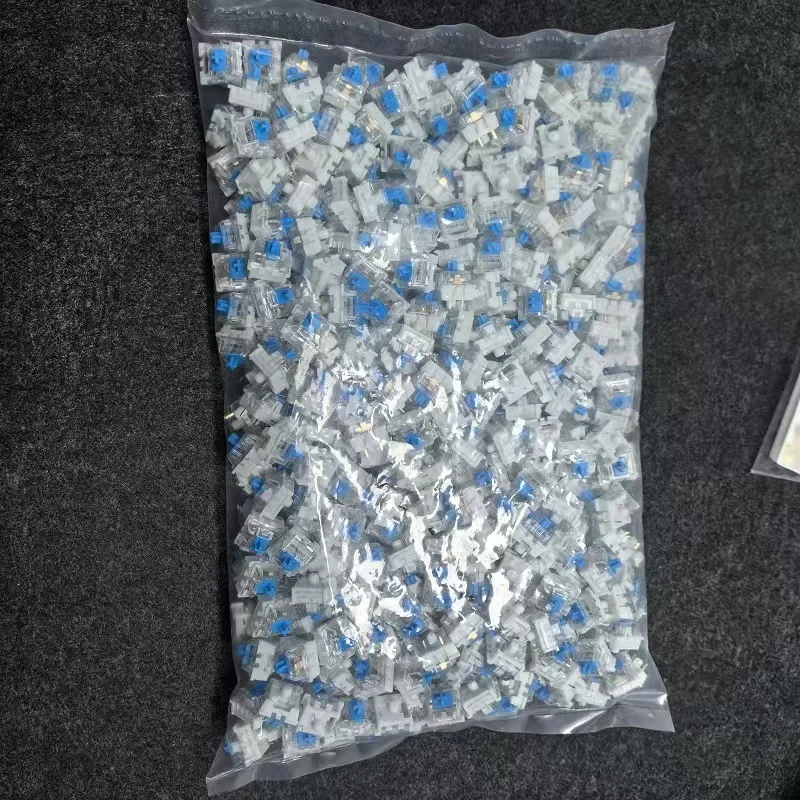
Enter the budget 3-pin mechanical keyboard switches. Available in classic Blue, Brown, and Red variants, these packs start around just $3.39. Can a switch pack this cheap actually deliver a satisfying typing experience, or is it too good to be true? Let’s break it down.
Why It’s a Steal: Bang for the Buck Redefined
At approximately $3.39 for a starter pack, the price-to-performance ratio here is downright absurd. Premium switches from enthusiast brands often cost anywhere from $0.60 to $1.20 per switch. With these budget packs, you are getting fully functional, standardized switches for mere cents apiece—making it virtually risk-free to experiment with new typing profiles or repair faulty keys.

If you’re already tweaking your board, pairing a fresh switch feel with an $8 coiled keyboard cable can turn an everyday desk setup into a premium-looking battlestation without breaking a $20 bill.
Key Features Deep Dive
1. Universal 3-Pin Design & Standard Cross Stem
One of the biggest headaches in keyboard modding is compatibility. These switches feature a standard 3-pin layout (two metal contact pins and a center plastic post) combined with the classic MX-style cross stem (+). This means they slot smoothly into the majority of budget hot-swappable boards—including popular Outemu, CIY, and Redragon sockets—and accept virtually any custom keycap set on the market.
2. The Big Three Profiles: Red, Brown, and Blue
You aren’t locked into a single typing feel. You can tailor the batch to your exact needs:
- Red Switches: Smooth and linear with light actuation. Perfect for rapid gaming inputs and quiet office typing.
- Brown Switches: Gentle tactile bump without the loud click. The ultimate middle ground for typing and casual gaming.
- Blue Switches: Crisp, audible click and distinct tactile feedback. Loved by typists who want definitive confirmation on every keystroke.
3. Perfect Sandbox for Modding and Repairs
Because they cost next to nothing, these switches are the ultimate practice ground for beginners. Want to learn how to open switches, apply Krytox lube, or swap out custom springs? Doing that on a pack of $1 boutique switches is nerve-wracking; doing it on a $3.39 set is a stress-free masterclass in keyboard tuning.
Who Is This For?
This switch pack is tailor-made for budget builders, students, and DIY enthusiasts who need quick replacement keys for an aging mechanical keyboard. It’s also ideal for anyone curious about trying a different switch type (like moving from loud Blues to silent Reds) without spending enough money to trigger buyer’s remorse.
✅ Pros
- Unbeatable price point (around $3.39)
- Universal MX-style cross stem fits standard keycaps
- Standard 3-pin configuration fits most hot-swap sockets
- Available in Linear (Red), Tactile (Brown), and Clicky (Blue)
- Great for budget repairs and switch-lubing practice
🔻 Cons
- Dry from the factory; benefits heavily from manual lubing
- Slightly more stem wobble than premium enthusiast switches
Final Verdict
Are these going to outperform hand-lubed, ultra-premium enthusiast switches? No. But at $3.39, they do not need to. They are reliable, click into standard hot-swap sockets easily, and revive dead boards for pennies. If you need a reliable fix or want to dive into keyboard modding on a shoestring budget, this is a certified steal.
Frequently Asked Questions
Will these switches work with my hot-swap keyboard?
Yes, as long as your mechanical keyboard has a hot-swap PCB that supports standard 3-pin mechanical switches (such as Outemu, Gateron, or CIY sockets). They are not compatible with optical keyboard sockets.
Which switch color should I choose?
Go with Red if you want quiet, smooth linear action for gaming. Choose Blue if you love loud, snappy click sounds for typing. Pick Brown if you want a subtle tactile bump without the loud noise.
Can I put my existing keycaps on these switches?
Yes! These switches feature the standard cross-shaped (+) stem, which is compatible with Cherry MX-style keycaps found on almost all mechanical keyboards.
Check Best Price ➔
*Price may vary based on promotions.