
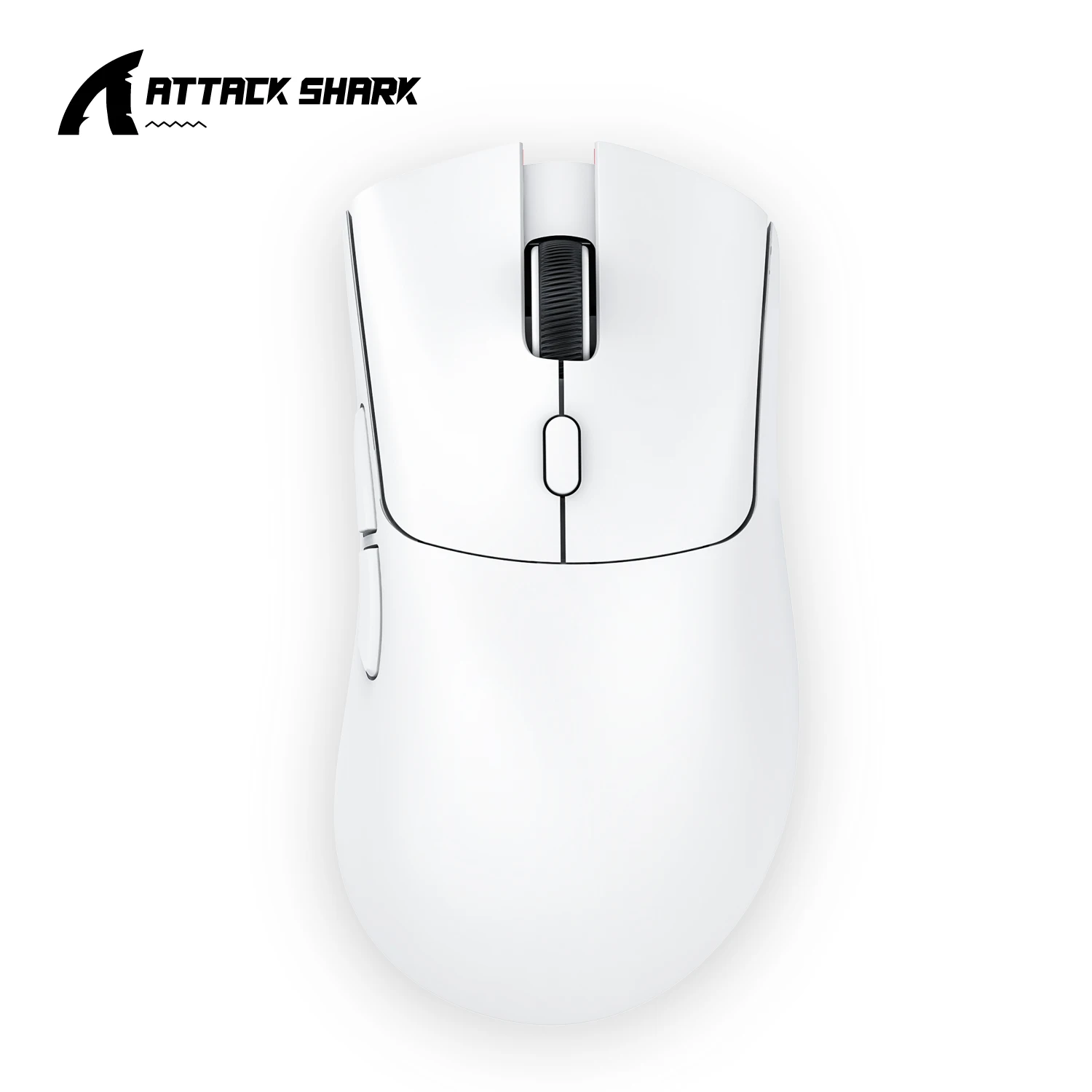
Upgrade Your Setup Without Breaking the Bank: The Attack Shark R1 Superlight Mouse Review
Tired of battling with a clunky, unresponsive mouse that slows down your work or costs a fortune for decent performance? Or perhaps you’re on the hunt for a versatile peripheral that can handle both intense gaming sessions and precise office tasks without emptying your wallet? If so, the Attack Shark R1 Superlight Mouse might just be the game-changer you’ve been looking for.
Why It’s a Steal at Just ~$20.56
At a mere $20.56, the Attack Shark R1 Superlight Mouse isn’t just a peripheral; it’s a statement. It challenges the notion that quality and performance must come at a premium. With an impressive 98% 5-star rating, this device has quickly become a standout in the crowded budget gadget market. It won’t outperform a $150 professional gaming mouse in every single metric, but for its price, the value it delivers is simply incredible. Much like discovering that a ~$15 gadget can be an entertainment hub or a small car accessory offers surprising value, the R1 Superlight redefines what you can expect from affordable tech.

This mouse offers a compelling blend of features typically found in much more expensive models, making it an undeniable steal for anyone seeking performance on a budget. Let’s dive into what makes it so special.
Key Features Deep Dive
Superlight Design for Effortless Control
Imagine gliding your mouse effortlessly across your desk, feeling almost no resistance. That’s the experience the superlight design of the Attack Shark R1 offers. This isn’t just a marketing buzzword; it translates directly into reduced hand fatigue during long workdays or intense gaming marathons, allowing for quicker, more agile movements and greater comfort. You’ll barely notice it’s there, which is exactly what you want from a high-performance mouse.
Dual-Mode Wireless Connectivity for Ultimate Versatility
Say goodbye to tangled wires and limited desk space. The R1 boasts both Bluetooth and 2.4G wireless connectivity, offering unparalleled versatility. Whether you’re connecting to a laptop, desktop, or even some tablets, you get a stable, responsive connection. This dual capability means you can easily switch between devices or choose the most reliable connection type for your environment, giving you freedom and flexibility without compromise.
PixArt PAW3311 Gaming Sensor & 6 Adjustable DPI
At the heart of any good mouse is its sensor, and the R1 doesn’t disappoint with its PixArt PAW3311 Gaming Sensor. This professional-grade sensor provides accurate and consistent tracking, essential for both competitive gaming and precision-demanding tasks like graphic design. Coupled with 6 adjustable DPI settings, you can fine-tune the mouse sensitivity on the fly. This ensures you have the perfect level of control for every situation, from pixel-perfect aiming to rapid navigation across multiple monitors.
Who Is This For?
The Attack Shark R1 Superlight Mouse is an excellent choice for a wide range of users:
- Budget-Conscious Gamers: Looking for a competitive edge without a premium price tag.
- Students: Need a versatile, reliable mouse for study, casual gaming, and media consumption.
- Home Office Users: Want comfort, productivity, and a clutter-free desk.
- Casual Users: Seeking an upgrade from basic mice with enhanced features and comfort.
✅ Pros
- Incredibly affordable price point for features offered.
- Superlight design significantly reduces hand fatigue.
- Dual-mode wireless (Bluetooth & 2.4G) for broad compatibility.
- Accurate PixArt PAW3311 sensor with adjustable DPI.
- High user rating (98% 5-stars) indicates reliability and satisfaction.
🔻 Cons
- May not match the advanced build quality or intricate customization of high-end flagship mice.
- Specific software for deep customization might be basic or absent.
- Long-term durability could be a question mark compared to premium brands with extended warranties.
Final Verdict
The Attack Shark R1 Superlight Mouse punches far above its weight class. For just $20.56, you’re getting a feature-rich, comfortable, and highly capable wireless mouse that performs admirably for both office work and casual to semi-serious gaming. It’s a testament to how far budget tech has come, offering incredible value without significant compromise. If you’re looking to upgrade your setup without emptying your wallet, the R1 Superlight is an easy recommendation that delivers on its promises.
Frequently Asked Questions
Is the Attack Shark R1 suitable for competitive gaming?
While it boasts a capable gaming sensor and adjustable DPI, the Attack Shark R1 is best suited for casual to semi-serious gaming. Hardcore competitive players might prefer higher-end options with ultra-low latency and more advanced features, but for its price, it offers a surprisingly good and responsive experience.
Does it work with Mac and Linux operating systems?
Yes, thanks to its versatile Bluetooth and 2.4G wireless connectivity, the Attack Shark R1 mouse should work seamlessly with most operating systems, including Windows, macOS, and Linux, as long as your device supports standard mouse input. It’s designed for broad compatibility.
What is the battery life like on the Attack Shark R1?
The product description doesn’t specify exact battery life. However, budget wireless mice typically offer several weeks to a few months of typical use on a single charge or set of batteries, depending on usage frequency and whether you use Bluetooth or 2.4G. For the most accurate real-world estimates, we recommend checking user reviews.
Does this mouse require any special software or drivers?
The Attack Shark R1 is designed to be plug-and-play, meaning it should work out of the box without needing any special drivers or software installation for basic functionality. DPI adjustments are typically controlled by a dedicated button on the mouse itself.
Check Best Price ➔
*Price may vary based on promotions.